Multi-accountingHeadless Browser
TikTok Web Login: How Do I Open TikTok Web?
Learn how to log in to TikTok Web quickly and securely. Step-by-step guide to access TikTok on your computer, manage multiple accounts, and use AdsPower for efficiency.
Nov 10, 2025Robin Brown
TikTok has become an important platform to connect with global audiences. According to statistics, the number of TikTok users in the United States has reached nearly 130 million. It is trendy among the post-95s user group worldwide.
TikTok's web version provides a platform for creators to interact with global audiences and promote their products. Many people want to watch TikTok on computers. However, they may have problems with TikTok web login. This article will provide you with a comprehensive guide on how to enter the TikTok web.
How to Access The TikTok Web Version?
Enter the official website of TikTok web:
- Open the browser: First, open the browser. It is recommended to use the latest version of Google Chrome, Mozilla Firefox, or Safari.
- Enter the URL: Enter the TikTok web URL in the address bar: https://www.tiktok.com
- Enter the homepage: Press Enter to visit the TikTok homepage. You can see popular videos or use the search bar at the top of the page to find users or tags you are interested in.
- Browsing content: You can browse and watch videos without logging in. To post, comment, or like a video, you need to log in to your TikTok account.
How Can You Log into TikTok on The Web?
To access your account on TikTok's web version, start with the TikTok web login.
- Users with a TikTok account can click the "Log in" button at the top-right corner of the web page.
- Enter your account details to log in using the same info as the mobile app.
- If you don't have an account, click "Sign up" at the bottom of the login page and register using your phone number, email, or social media accounts.
After signing up, return to the TikTok web login page and enter your account details to enjoy TikTok features online.
Why Can't I Access The TikTok Web Version?
Common issues include:
- Network connection problem: Check your internet connection if TikTok shows no network.
- Browser compatibility issues: Older browsers may not support the latest TikTok web features. Update or try a different browser.
- Browser cache and cookie issues: Clear cache and cookies if the web page does not load properly.
- Inaccurate system time: Wrong system time may interfere with SSL verification.
- TikTok server issues: Occasionally, TikTok servers may be down or under maintenance. Check social media for updates.
What Functions Does The Web Version of TikTok Have?
Searching Function
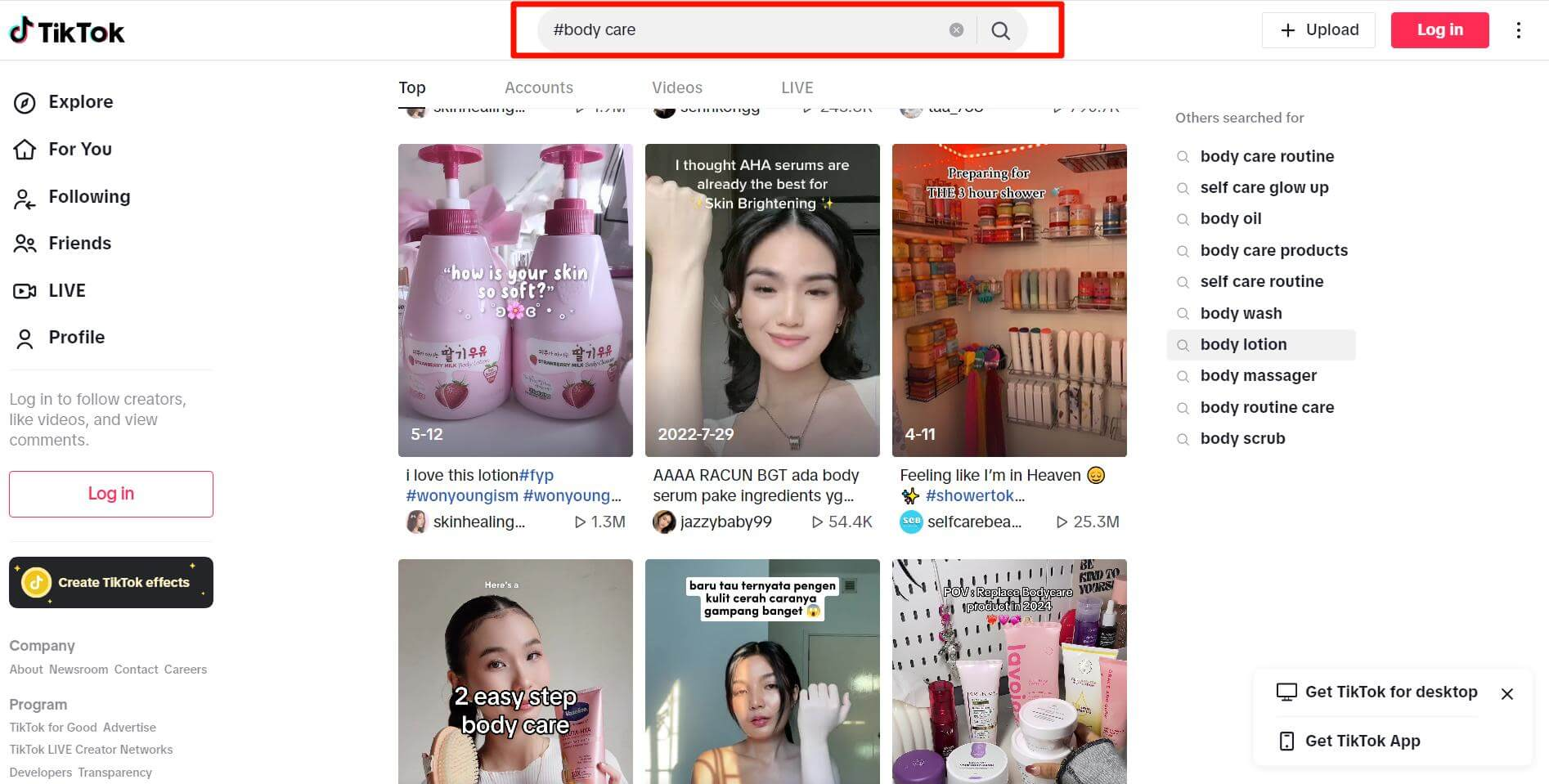
- Use the search bar at the top of the TikTok web to find videos, users, or topics.
- Use specific keywords or popular tags to find content accurately (e.g.,
#bodycare). - Identify potential influencers for marketing by searching users with high interaction rates.
Video Uploading and Editing
- Click the Upload button to select videos and use editing tools.
- Tips: Ensure good resolution and file size. Use high-quality covers and attractive titles.
- Add filters and effects to make videos more engaging.
Watch Video Streams and Live Broadcasts
- Browse recommended video streams or find live broadcasts via the search bar.
- Customize streams by following your favorite creators.
- Live broadcasts allow real-time interaction, improving engagement and marketing effectiveness.
Manage Profile
- Click the profile icon to edit avatar, nickname, and introduction.
- Use a professional avatar and compelling intro to attract attention.
View Analytics Data
- Click the Upload button and then Data Analysis to view statistics.
- Key metrics include views, likes, shares, and geographic distribution of viewers.
- Use analytics to identify popular content and peak activity times.
How to Efficiently Manage Multiple Accounts on The TikTok Web Version?
TikTok's web version makes it easy to manage multiple accounts at once by opening different windows or tabs in your browser.
Especially when doing TikTok marketing, using the TikTok web to manage multiple accounts is an effective strategy to increase your influence and reach a larger audience. Switching between accounts on the web version is faster than doing it one by one on the mobile app, saving time and boosting efficiency.
Yet, although it is convenient to open many browsers, there are some potential risks. For example, the association between accounts may cause the account to be blocked. So how to log in and manage multiple accounts on the TikTok web version efficiently and securely?
Manage Multiple TikTok Accounts with Nstbrowser
Nstbrowser is a tool specially designed for multi-account management. It has the following main functions:
Account isolation and anti-association
- Nstbrowser gives each TikTok account a unique browser profile.
- Includes details like User Agent, screen resolution, fonts, and plugins.
- Prevents accounts from being linked together and reduces the risk of suspension.
- Create Unique Browser Environment
Multi-windows synchronization
- Synchronizer lets you perform the same action on all accounts with one click.
- Ideal for marketing activities that require repeated actions across multiple accounts.
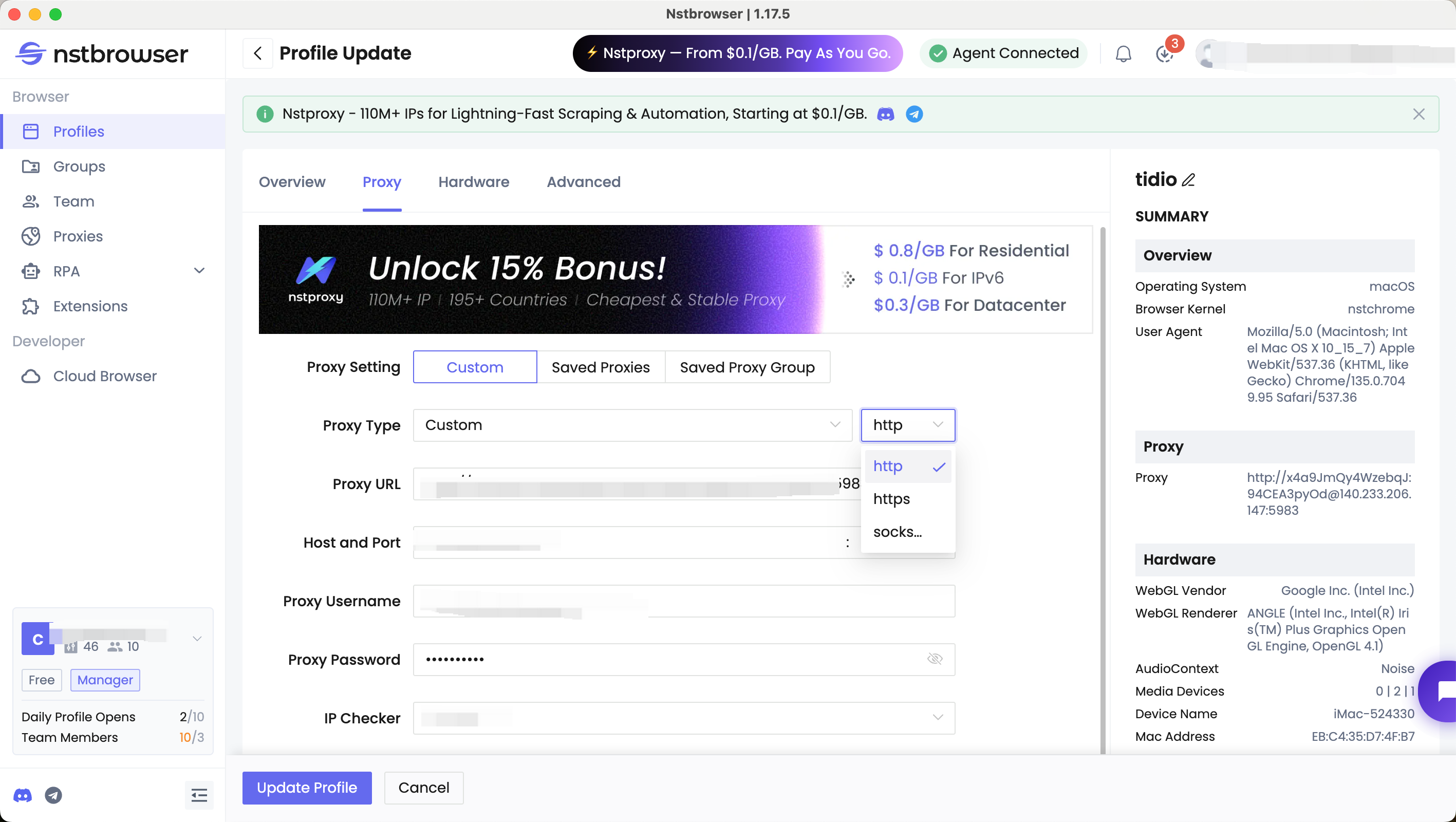
Proxy IP network configuration
- Set up different proxy networks for each account.
- Accounts appear as coming from different regions and are independent.
- Further reduces correlation between accounts.
Steps of Web TikTok Login Using Nstbrowser
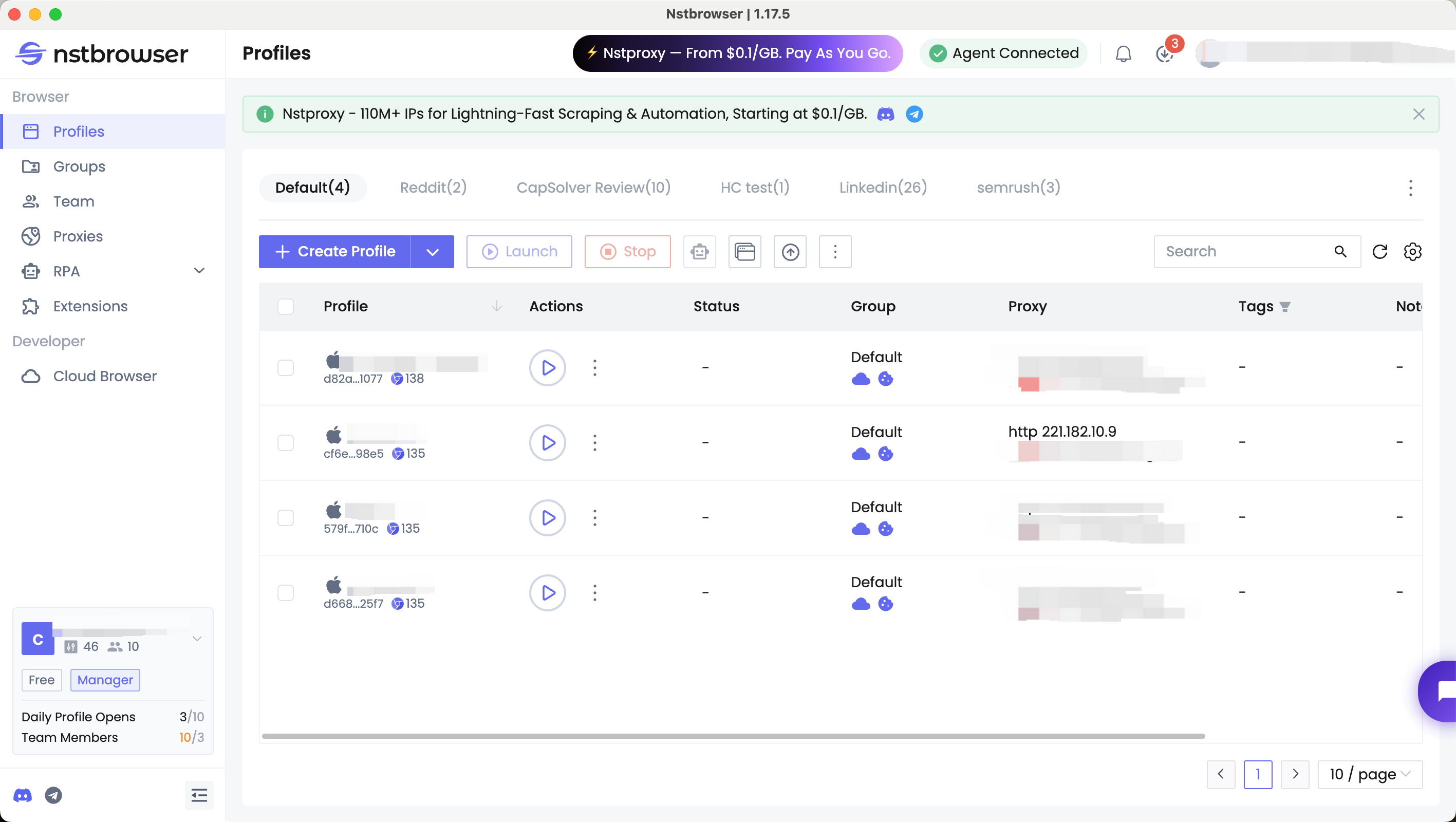
- Download and open Nstbrowser to start creating a new browser profile. Adjust settings like resolution, language, time zone, etc. in the configuration file.
- Start the configured browser profiles. Nstbrowser will open a new browser window according to the set parameters.
- In the newly opened browser window, visit the TikTok web and click the "Log In" button in the upper right corner.
- Once logged in, use Nstbrowser's automation tools and synchronizer to handle marketing activities.
Have A Try
Now you're familiar with TikTok web login and managing multiple accounts with the help of AdsPower. There's no reason to wait. Dive in and try Nstbrowser for free—discover how it can streamline your social media management and boost your efficiency today!
I believe you have known the way of TikTok web login, and managing multiple TikTok accounts with Nstbrowser. Now, don't hesitate and try Nstbrowser for free!
More


