Proxy
How to Get YouTube Unblocked at School: The Definitive Guide for Secure Educational Access
earn the 9 effective ways to get YouTube unblocked at school. Includes technical details on firewalls, safety tips, and the secure Nstbrowser + Proxy method for consistent access.
Nov 13, 2025Robin Brown
Take a Quick Look
Stop struggling with school firewalls. Try Nstbrowser today to configure a secure proxy within an isolated profile, guaranteeing reliable, private access to YouTube and all your essential educational resources.
Key Takeaways:
- How to Get YouTube Unblocked at School requires understanding the school's blocking method, which can range from simple DNS filtering to advanced firewall rules.
- The safest and most reliable method for consistent access is using a VPN or a proxy configured within a secure browser.
- Bypassing school firewalls for non-educational purposes can violate school policy and may lead to disciplinary action; always prioritize legitimate learning.
- Nstbrowser offers a secure, isolated environment for configuring proxies, allowing students and educators to access necessary educational content without compromising network security or personal data.
- Alternative educational platforms like TED-Ed and SchoolTube are excellent substitutes when YouTube remains inaccessible.
Introduction
You are a student or educator who needs to access a critical educational video on YouTube, only to be met with a frustrating "Blocked" message. How to Get YouTube Unblocked at School is a common challenge, but the solution is not just about bypassing a filter; it is about securing legitimate access for learning while respecting institutional policies. This definitive guide will explore the technical reasons behind school blocks, analyze the safety and effectiveness of various unblocking methods, and detail the superior solution: using an advanced, secure browser like Nstbrowser to ensure reliable, private access to educational content.
Why is YouTube Blocked at School? The Technical Reasons
Schools and universities block YouTube for a combination of reasons, primarily to minimize distractions, conserve network bandwidth, and comply with child protection laws. Understanding the technical method used by your school is the first step toward finding a reliable solution.
1. DNS Filtering (The Simplest Block)
DNS filtering is the most common and easiest method for schools to implement. The Domain Name System (DNS) translates website names (like youtube.com) into IP addresses.
- Mechanism: The school's network router is configured to use a DNS server that simply refuses to resolve the IP address for YouTube.
- Solution: This block is easily bypassed by changing your device's DNS settings to a public server like Google DNS (8.8.8.8) or Cloudflare DNS (1.1.1.1).
2. IP and URL Filtering (The Common Block)
This method is more robust and targets the website's address directly.
- Mechanism: The school's firewall or proxy server is configured with a list of blocked IP addresses or URL keywords (e.g.,
youtube.com,youtu.be). - Solution: This requires routing your traffic through an external server (a proxy or VPN) so that the school's firewall only sees the IP address of the external server, not the destination (YouTube).
Try Nstproxy for Free →
3. Deep Packet Inspection (The Advanced Block)
Deep Packet Inspection (DPI) is used by institutions with high-end firewalls to inspect the content of the data packets themselves.
- Mechanism: The firewall looks inside the encrypted traffic (even HTTPS) for signatures or patterns that indicate a connection to YouTube.
- Solution: This is the hardest to bypass and often requires a high-quality VPN or a secure browser with a proxy that can effectively mask the traffic's origin and destination.
9 Effective Ways to Get YouTube Unblocked at School
While many methods exist, their effectiveness and safety vary widely. Always consider your school's policy before attempting to bypass any network restriction.
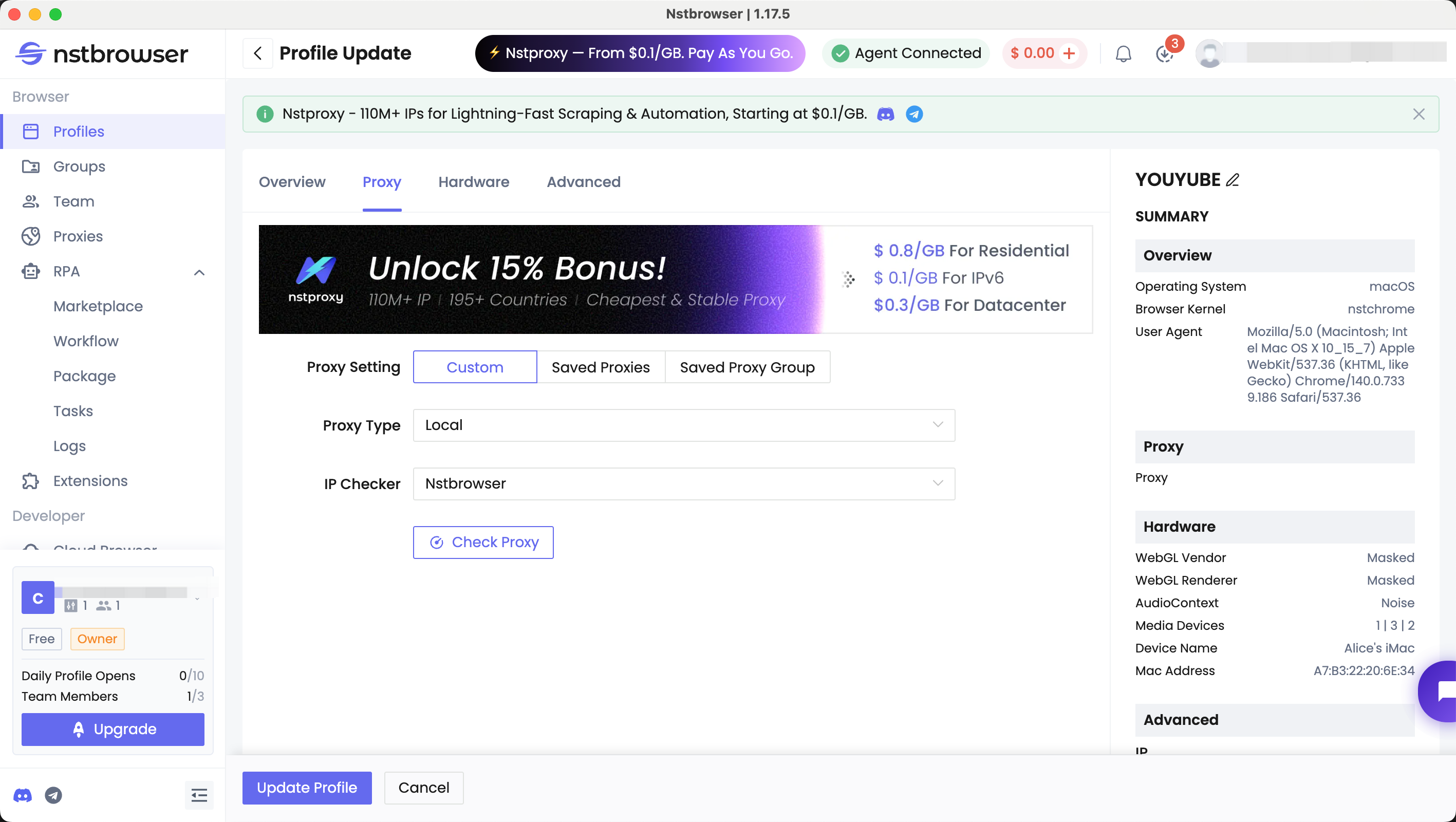
1. Use Nstbrowser with Configured Proxies (The Secure Solution)
For reliable, secure, and private access, configuring a proxy within a dedicated browser is the superior method. Nstbrowser is an anti-detect browser primarily used for multi-account management, but its core feature—secure profile isolation—makes it ideal for bypassing network restrictions safely.
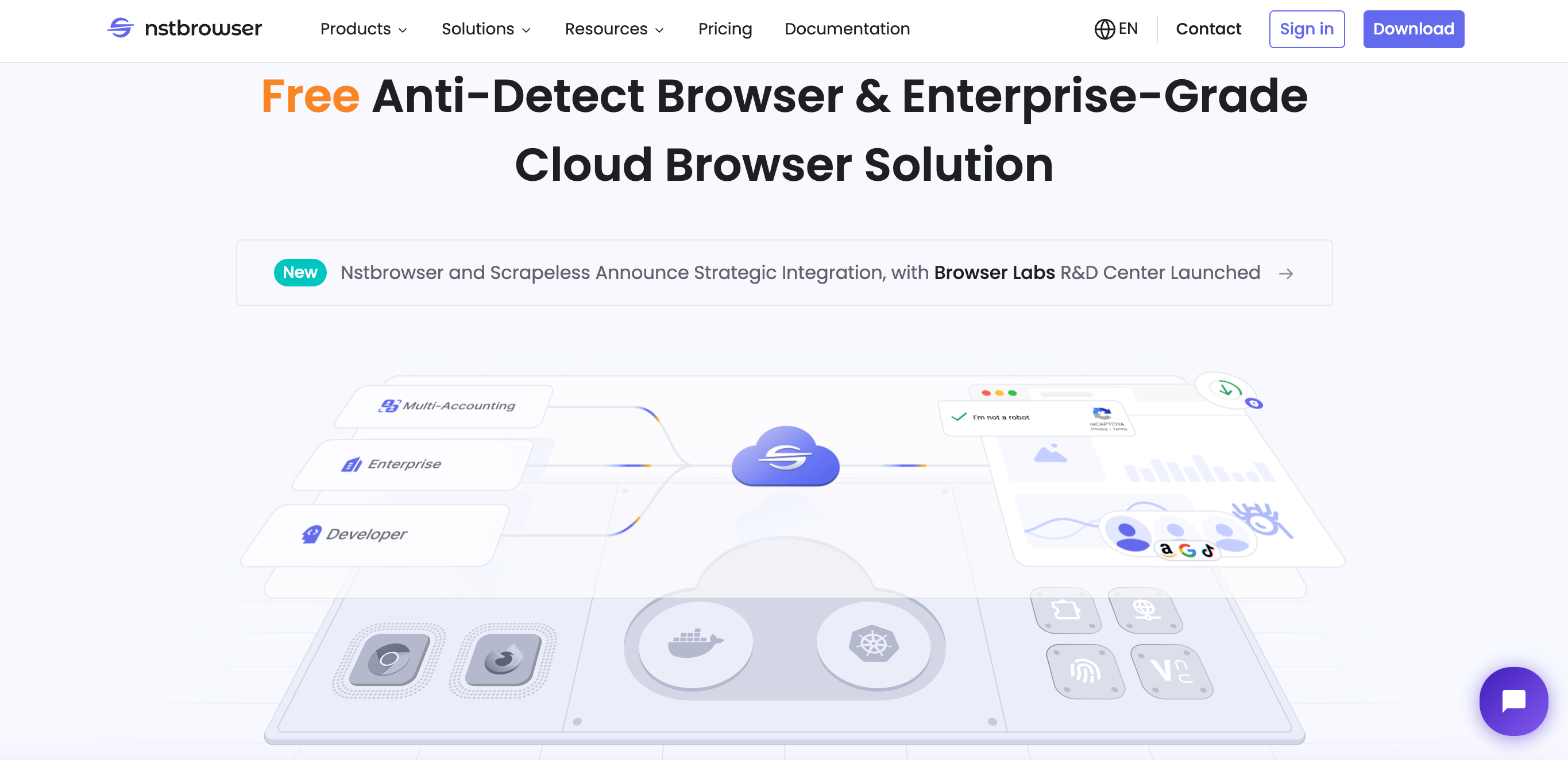
To get YouTube unblocked at school, you can configure proxies within Nstbrowser that provide access to IPs capable of reaching YouTube. This way, each account operates in its own profile with a proxy that bypasses local network restrictions, giving you safe and reliable access to educational content.
2. Change Your Device's DNS Settings
This is the simplest method and works against basic DNS filtering.
- Action: Manually change your device's DNS to a public server (e.g., 1.1.1.1).
- Effectiveness: High against DNS-only blocks, zero against firewall or DPI blocks.
3. Use a Mobile Hotspot
The most straightforward way to bypass the school's network entirely.
- Action: Connect your device to your phone's mobile data hotspot.
- Effectiveness: 100% effective, as you are not using the school's network.
- Caution: Can quickly consume mobile data plans, especially with video streaming.
4. Use a Web Proxy Site
These sites act as a middleman, fetching the YouTube video for you.
- Action: Navigate to a free web proxy site, enter the YouTube URL, and the site loads the content.
- Effectiveness: Low to moderate. Many school firewalls block known web proxy sites.
- Caution: Free web proxies are often slow, unreliable, and pose significant security risks, as they can log your activity and credentials.
The ideal solution is using a premium and high-quality proxy like Nstproxy.
Premium proxy services provide dedicated infrastructure, better speeds, and higher reliability.
For users looking for a more reliable way to access YouTube across different network environments, Nstproxy offers fast residential proxies backed by millions of real IPs worldwide. With enhanced connection stability and flexible geo-targeting options, Nstproxy helps deliver a smoother and more dependable YouTube viewing experience.
5. Use a VPN (Virtual Private Network)
A VPN encrypts all your traffic and routes it through a secure tunnel.
- Action: Install a trusted VPN application on your device.
- Effectiveness: High against most firewall and IP/URL blocks.
- Caution: Many schools block common VPN ports, and installing a VPN application may violate school device policies.
6. Access YouTube Through Google Translate
This method leverages Google's servers to fetch the content.
- Action: Paste the YouTube URL into Google Translate and click the translated link.
- Effectiveness: Low. The page layout is often broken, and the method is easily defeated by modern filters.
7. Use a Link Shortener
This attempts to bypass simple URL keyword filters.
- Action: Shorten the YouTube URL using a service like Bitly and try to access the shortened link.
- Effectiveness: Very low. Most filters check the destination URL, not just the link you click.
8. Use Tor Browser
Tor routes your traffic through multiple relays for high anonymity.
- Action: Download and use the Tor Browser.
- Effectiveness: Moderate. Tor is often blocked by schools due to its association with high anonymity and potential misuse.
- Caution: Tor is significantly slower than a direct connection or a proxy.
9. Use Browser Extensions
Many extensions are simple proxy tools that route traffic through a third-party server.
- Action: Install a proxy extension from a trusted source.
- Effectiveness: Moderate. They are convenient but often less stable and secure than a dedicated browser setup.
Comparison Summary: Unblocking Methods
| Method | Effectiveness Against DPI | Security/Privacy | School Policy Risk | Best For |
|---|---|---|---|---|
| Nstbrowser + Proxy | High | Very High (Isolated Profile) | Low (if using personal device) | Secure, consistent, multi-account access. |
| Mobile Hotspot | N/A (Bypasses Network) | High | Zero | Quick, reliable access (data cost is the issue). |
| Trusted VPN | High | High (Full Encryption) | Moderate (Installation may be blocked) | General secure browsing. |
| Change DNS | Low | Low | Low | Bypassing simple DNS filters. |
| Free Web Proxy | Very Low | Very Low (Data Logging Risk) | Moderate | Quick, one-time access (not recommended). |
The Nstbrowser Advantage for Secure Educational Access
For students and educators who require consistent, secure access to online resources, Nstbrowser is the most reliable solution. While the primary use of Nstbrowser is multi-account management, its core technology is perfectly suited for secure network access.
1. Isolation for Security
Nstbrowser prevents the school network from seeing your real digital fingerprint. When you configure a proxy within an Nstbrowser profile, the browser creates a unique, isolated environment. This isolation ensures that:
- No Data Leakage: Your real device data (fonts, WebGL, etc.) is not exposed, which is critical for privacy.
- Consistent Access: If you use a specific proxy for YouTube, Nstbrowser ensures that the connection is always made from the same, consistent digital environment, reducing the chance of the proxy being flagged.
2. Multi-Purpose Access
Nstbrowser is not just for YouTube; it is for all restricted educational tools. Many schools also block access to necessary AI tools like ChatGPT or advanced research databases.
- Case Study 1 (Student): A student needs to access both YouTube tutorials and a geo-restricted research database. They create two separate Nstbrowser profiles, each with a different proxy configured for the specific resource, ensuring both are accessed securely and without cross-contamination.
- Case Study 2 (Educator): An educator manages multiple online learning accounts (e.g., different Google Classroom accounts for different classes). Nstbrowser ensures each account is isolated, preventing the school's network monitoring tools from linking the accounts and flagging them as suspicious.
Conclusion: Nstbrowser provides a professional-grade solution for a legitimate educational need, offering security and reliability that simple VPNs or free proxies cannot match.
Try YouTube Alternatives When YouTube Is Blocked at School
If your school's firewall is too restrictive, or if you prefer to comply fully with the network policy, several excellent alternatives exist for educational content.
- TeacherTube / SchoolTube: These platforms are specifically designed for educational content, often featuring videos uploaded by teachers. They are less likely to be blocked.
- Direct Educational Apps (TED-Ed, Khan Academy): These offer high-quality, curated content that is often whitelisted by school networks.
- Public Library Apps (Kanopy): Many public libraries offer free access to Kanopy, which includes a vast collection of educational documentaries and films.
Frequently Asked Questions (FAQ)
1. Is it illegal to bypass a school firewall?
It is generally not illegal, but it is a violation of school policy. In the US, the Computer Fraud and Abuse Act (CFAA) is complex, but simple bypassing for non-malicious purposes is usually handled as a disciplinary matter by the school, not a criminal one. Always prioritize compliance and use secure methods for legitimate educational needs.
2. Will using Nstbrowser get me in trouble?
No. Nstbrowser is a secure, anti-detect browser. When used on a personal device with a proxy for legitimate educational access, it simply provides a more secure and isolated connection than a standard browser. It does not violate the spirit of the policy if used for learning.
3. Why are free web proxies dangerous?
Free web proxies often log your IP address, browsing history, and even your login credentials. They can inject ads or malware into your browsing session, making them a significant security risk.
4. How can I tell if my school is using Deep Packet Inspection (DPI)?
If a high-quality, paid VPN or proxy fails to unblock YouTube, your school is likely using DPI. This means they are inspecting the content of your traffic, not just the address.
5. What is the safest method for unblocking YouTube at school?
The safest method is using a Mobile Hotspot (as it bypasses the school network entirely). The most secure and reliable method for consistent access on the school network is using a proxy configured within a secure, isolated browser like Nstbrowser.
Conclusion and Call to Action
Accessing educational content on YouTube should not be a struggle. By understanding the technical methods schools use to block content, you can choose the safest and most effective solution. While simple DNS changes or mobile hotspots offer quick fixes, the most reliable and secure method for consistent, private access is to use a dedicated, isolated browsing environment.
Ready to secure your educational access and ensure you can always reach the resources you need?
Try Nstbrowser today and configure a secure proxy within an isolated profile for reliable, private access to YouTube and other restricted educational tools.
References
- How Do Schools Block Websites? A Complete Guide for Students. Control D. Control D
- How to Bypass School and Work Wi-Fi Restrictions Using Proxies. IPBurger. IPBurger
- How to Get Unblocked ChatGPT for School 2025 - Nstbrowser. Nstbrowser Blog. Nstbrowser Blog
- Is it illegal to bypass school restrictions? Quora. Quora
- 10 Best Unblocked Browsers [Secure and Free Web Access]. Nstbrowser Blog. Nstbrowser Blog
- Nstbrowser Unblocked ChatGPT: Access AI Tools Anywhere. Nstbrowser Wiki. Nstbrowser Wiki
More