Proxy
How to configure flyproxy in Nstbrowser?
Using Nstbrowser with FlyProxy makes web scraping and automation effortless.
Jul 11, 2024Carlos Rivera
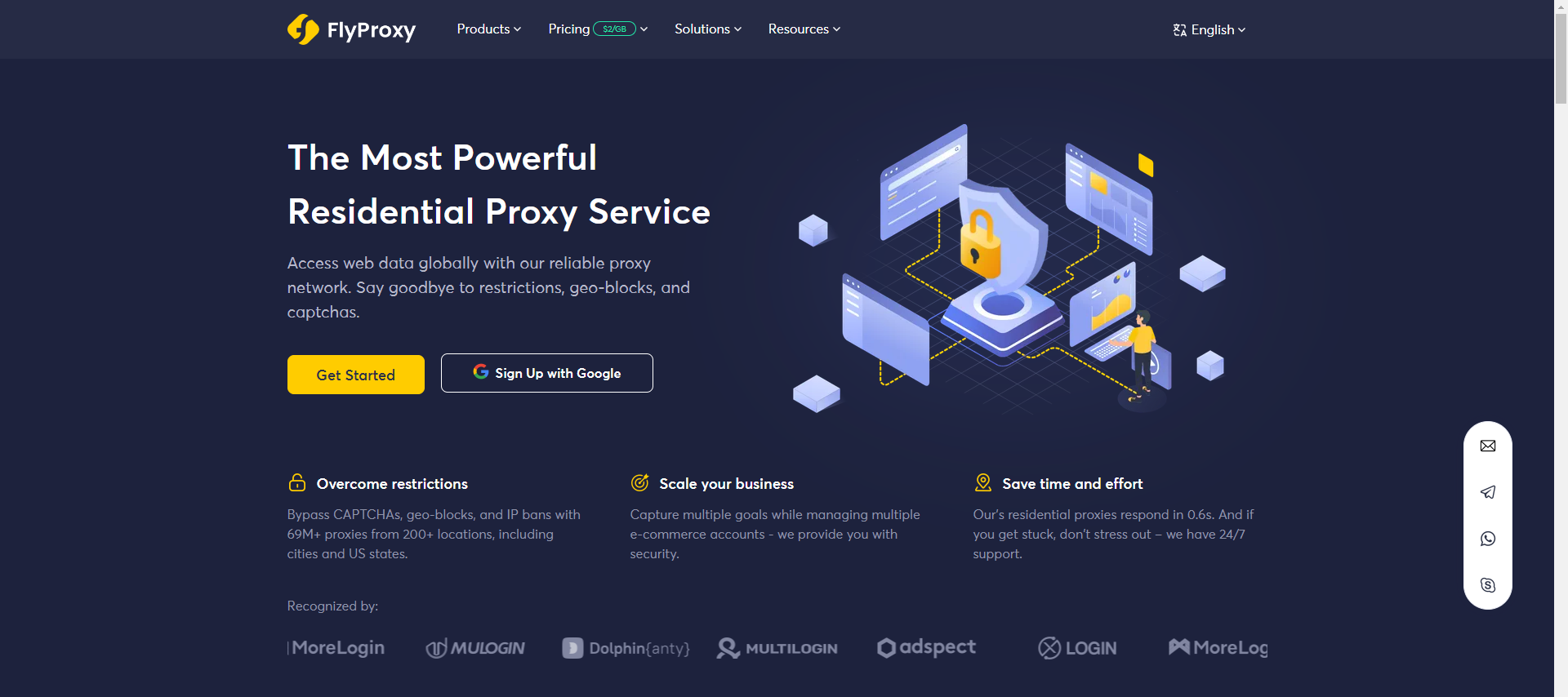
Flyproxy is a professional IP resource provider from more than 195 locations around the world and has more than 69 million real residential IPs from more than 200 locations around the world.Its proxy services are widely used in data crawling, brand protection, ad verification, social media analysis, market research and e-commerce. Our residential proxy response time is 0.6s. If you are experiencing difficulties, Flyproxy provides 24/7 service support.
Flyproxy offers three main types of proxy services:
-
Rotating Residential Proxies: Each residential IP is a dynamic IP with selectable country and city, which helps users to perform precise geolocation and information access efficiently and securely.
-
Static Residential Proxies: Static Residential Proxies provide fixed residential IP addresses. They are capable of pinpointing physical locations and are trusted by websites. By providing static IPs, these proxies help users maintain a consistent IP address over a long period of time, thus improving access stability and security.
-
Unlimited Res idential Proxies: Unlimited Residential Proxies act as an intermediate server between users and websites by providing residential IPs with unlimited traffic. Each Residential IP is a random country and city Rot ating Residential Proxies, if there is no requirement for locating the country/city, you can save the traffic cost tremendously with this Unlimited Residential Proxies, these proxies ensure that the user can access the information and use it consistently and efficiently.
1. High Availability and Stability
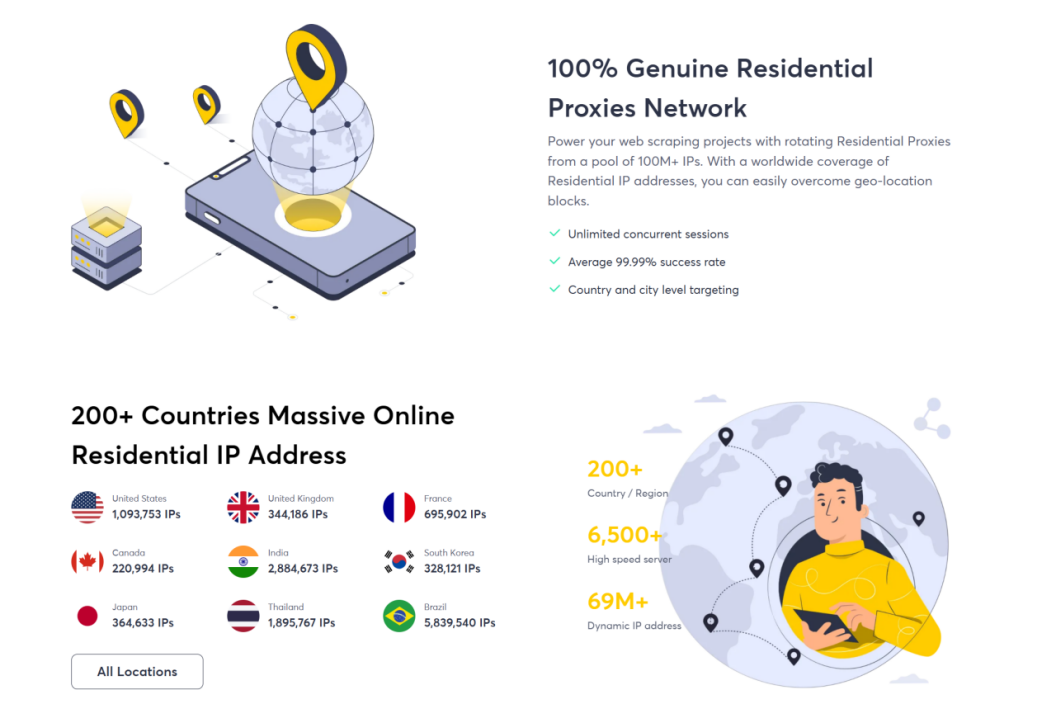
Flyproxy promises a success rate of about 95%, ensuring users uninterrupted usage. Its IP resources are real and widely distributed, covering more than 200 locations around the world, effectively avoiding IP blocking and geographical restriction problems. This feature makes Flyproxy especially reliable in large-scale data crawling and continuity projects.
2. Fast Response and Integration
Flyproxy's proxy service is responsive and supports multiple programming languages and integration methods such as Python, Java, Node.js, etc., making it easy for developers to embed its services into existing systems. Whether through API calls or customised scripts, Flyproxy provides an efficient solution.
3. Security and Anonymity
Flyproxy provides highly anonymous proxy services to protect user privacy and data security. This is especially important for tasks such as crawling sensitive data or tasks that require hiding the identity of the user, Flyproxy ensures that the user's actions will not be tracked or leaked.
Application Scenarios
1. Data Scraping
In large-scale data crawling projects, rotating residential proxies can provide ever-changing IPs, effectively bypassing anti-crawling mechanisms and improving crawling efficiency. For example, to capture commodity price and inventory information on e-commerce platforms, the rotating proxy can avoid IP blocking and improve the success rate and speed of data capture.
2. Brand protection and advertisement verification
Enterprises using residential proxies are able to simulate real user visits to detect and prevent improper advertisement placement and brand infringement. By monitoring the location and content of advert placement, companies can detect and deal with non-compliant adverts in a timely manner to protect their brand image and market share.
3. Social Media and Market Research
Flyproxy helps enterprises to conduct social media analysis and market research in different regions to obtain real user behaviour data. For example, enterprises can access social media platforms in different countries through the proxy to analyse user comments and feedback to optimise product and market strategies.
4. E-commerce
In the field of e-commerce, residential proxies can be used for price monitoring, inventory management and competitive analysis. For example, enterprises can access competitors' websites through proxies to monitor product price and inventory changes in real time, develop more competitive pricing strategies, and enhance market competitiveness.
Tutorials
Step 1: Registration and Login Tutorial
Before we start, we need to choose a plan and prepare a proxy in ProxyScrape.
- Register for a ProxyScrape account, you can refer to this document to register and log in, and purchase the right proxy for you Purchase Tutorial.
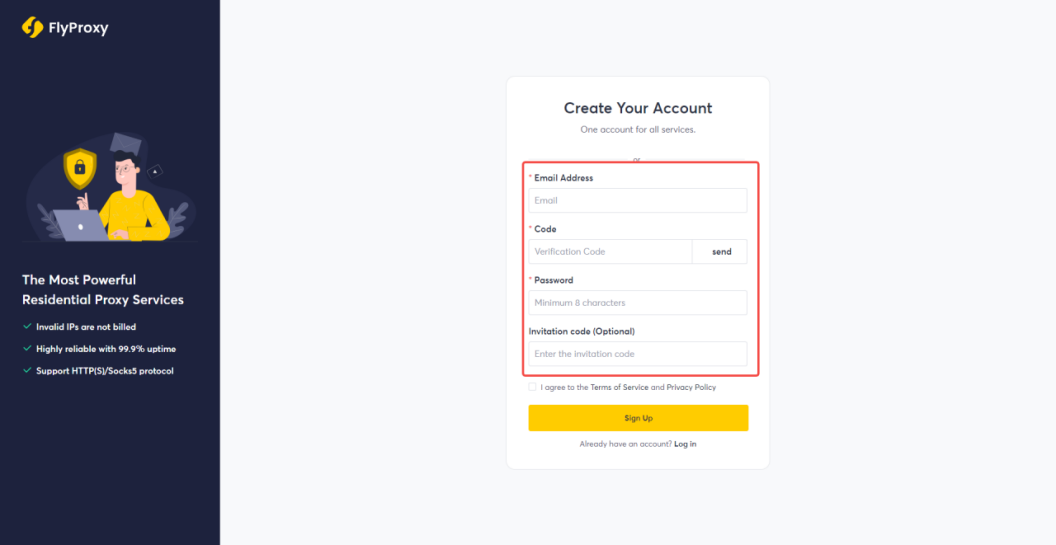
- Getting Flyproxy proxy information
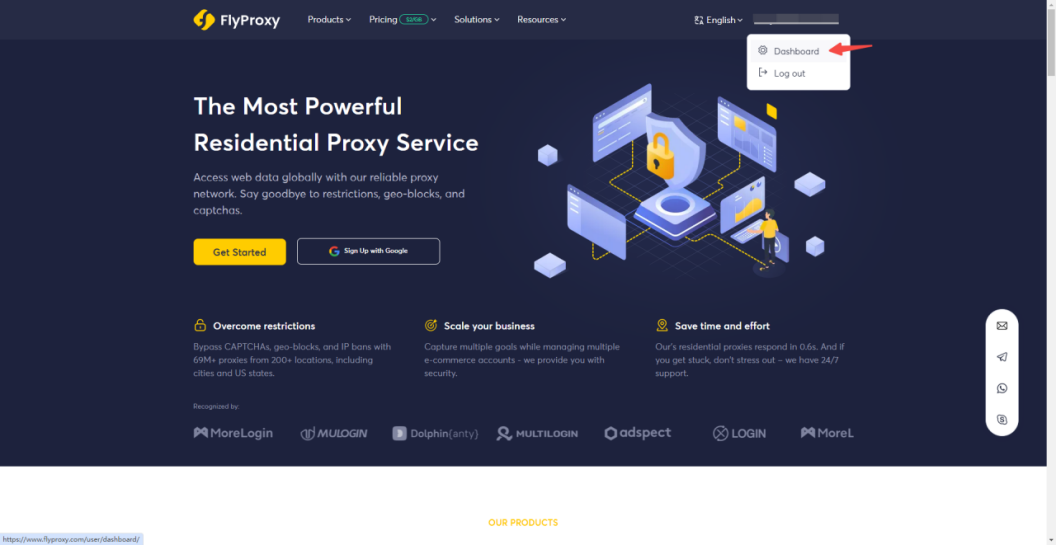
Click to go to the Home page, then click to go to the Personal Centre underneath your username to go to the Overview screen.
-
Once in the overview screen, click on "User & Pass Auth" in Get Proxy.
-
Flyproxy has three types of proxy packages : Dynamic Residential Proxies, Unlimited Residential Proxies, and Static Residential Proxies. Here is an example of Rotating Residential Proxies.
-
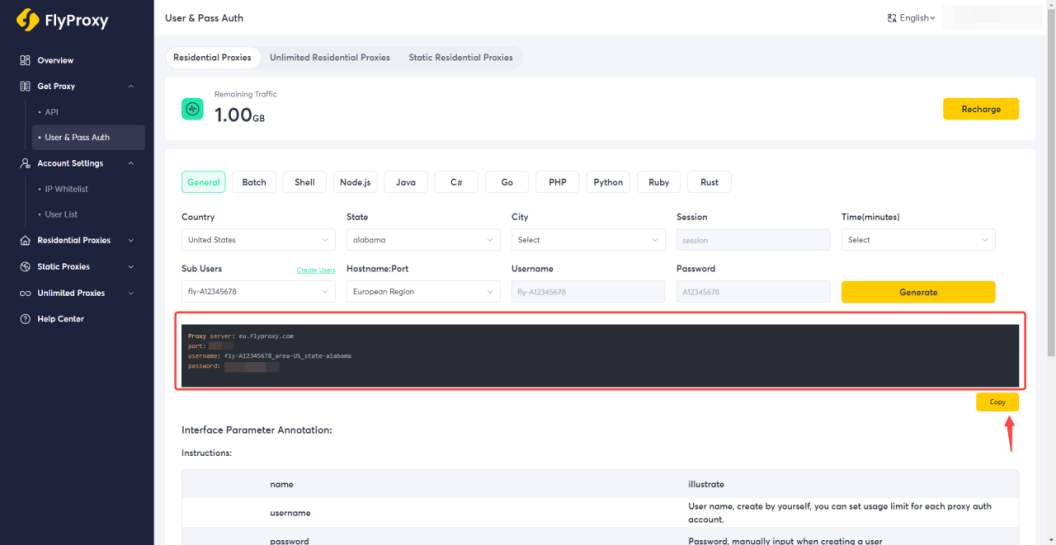
Select Rotating Residential Proxies, select the "Country" and "State" or "City" where you want to generate the proxy. Fill in the "Session" (optional), "Time" (optional) and "Sub-users", please refer to the "Sub-users" tutorial, and finally select "Hostname: Port". Hostname: Port".
Here is an example of the United States, Alabama, and Europe. Then click Generate below.
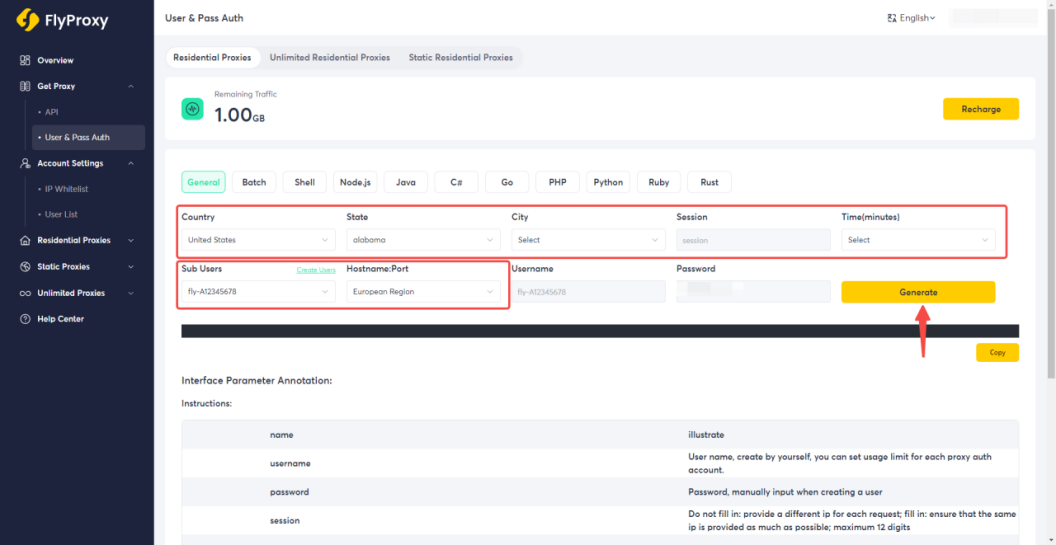
- The proxy address, port number, and subusername and password will be generated. Click Copy below.
Step 2: Add Proxy on Nstbrowser
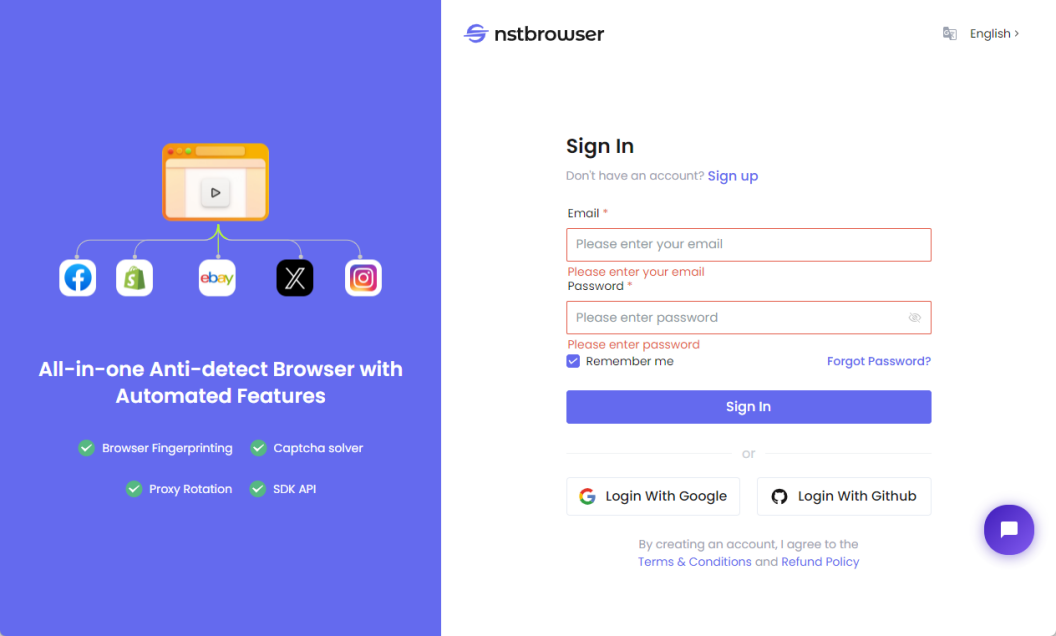
- Open Nstbrowser Antidetect Browser, register and login.
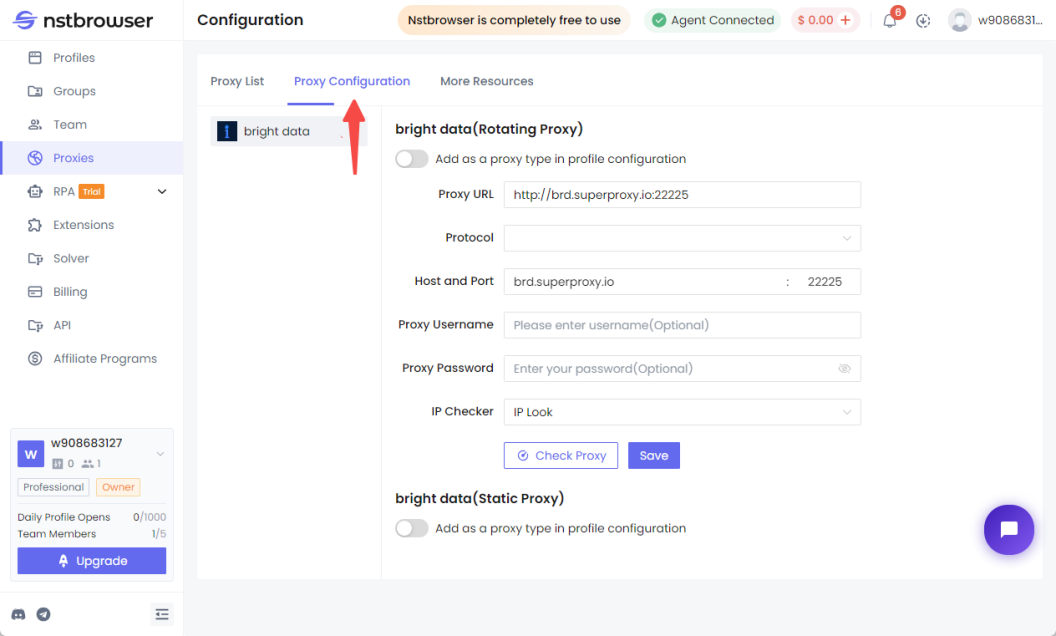
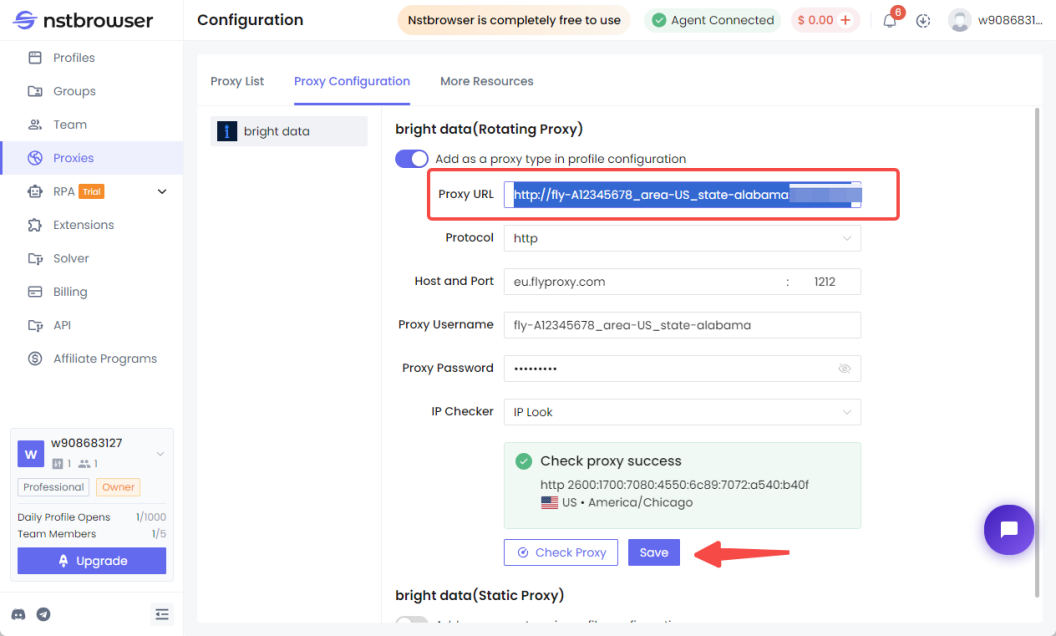
- Click on "Proxies" in the right navigation bar, and then click on "Proxy Configuration".
- Add the proxy type to the profile configuration.
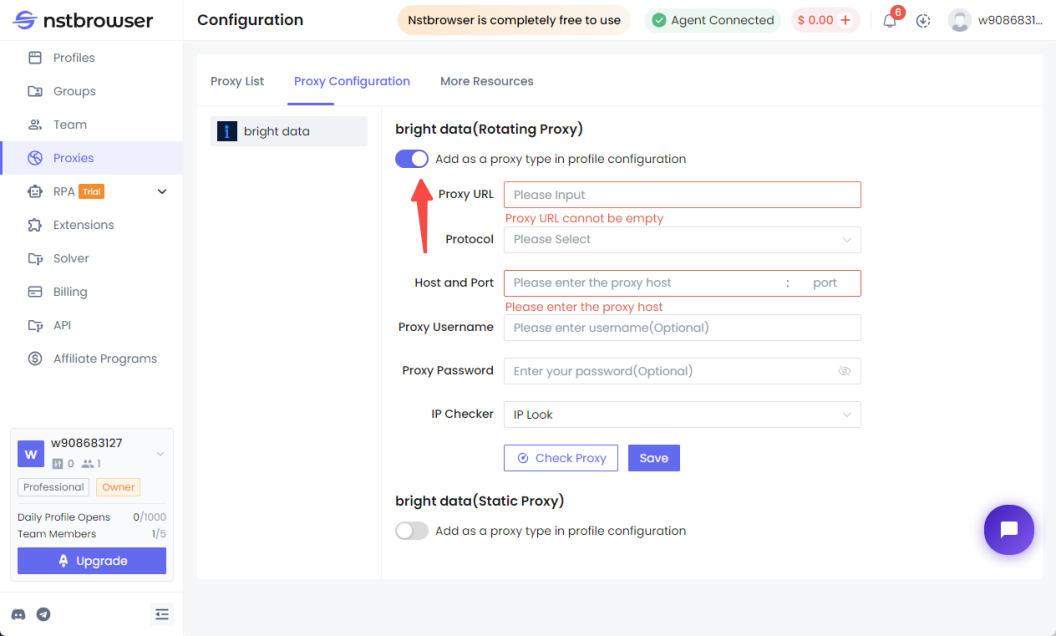
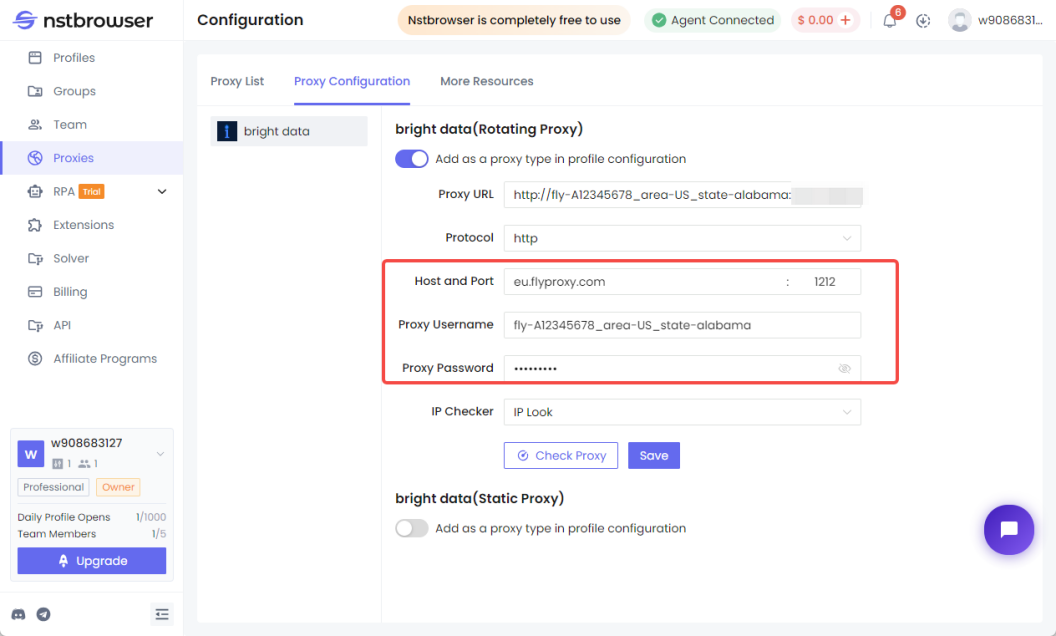
- Paste the content you copied in Flyproxy into the corresponding space.
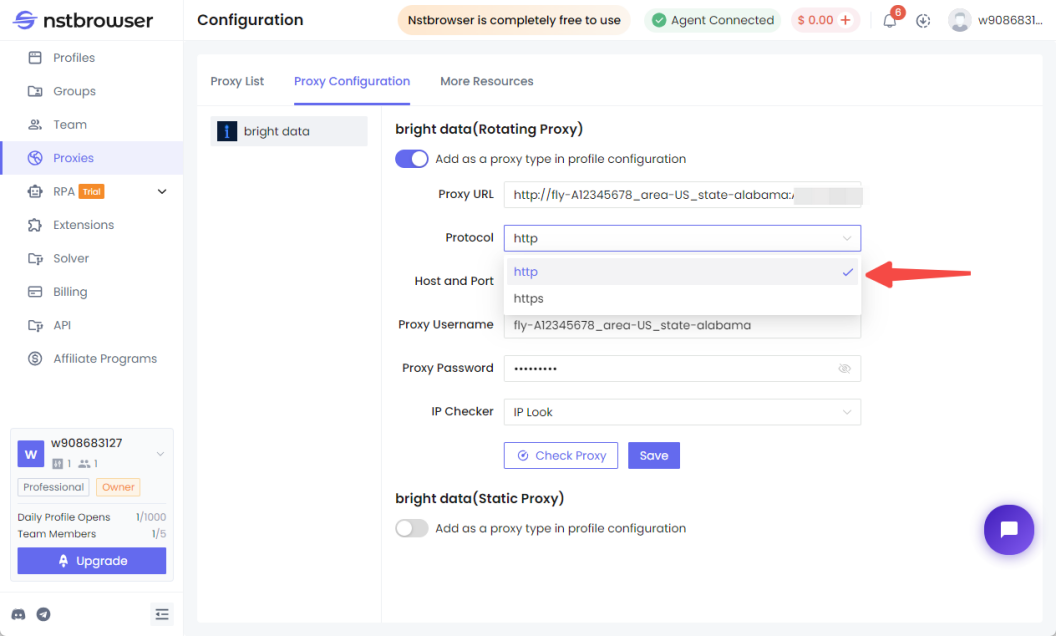
- Note that the protocol choice is "http".
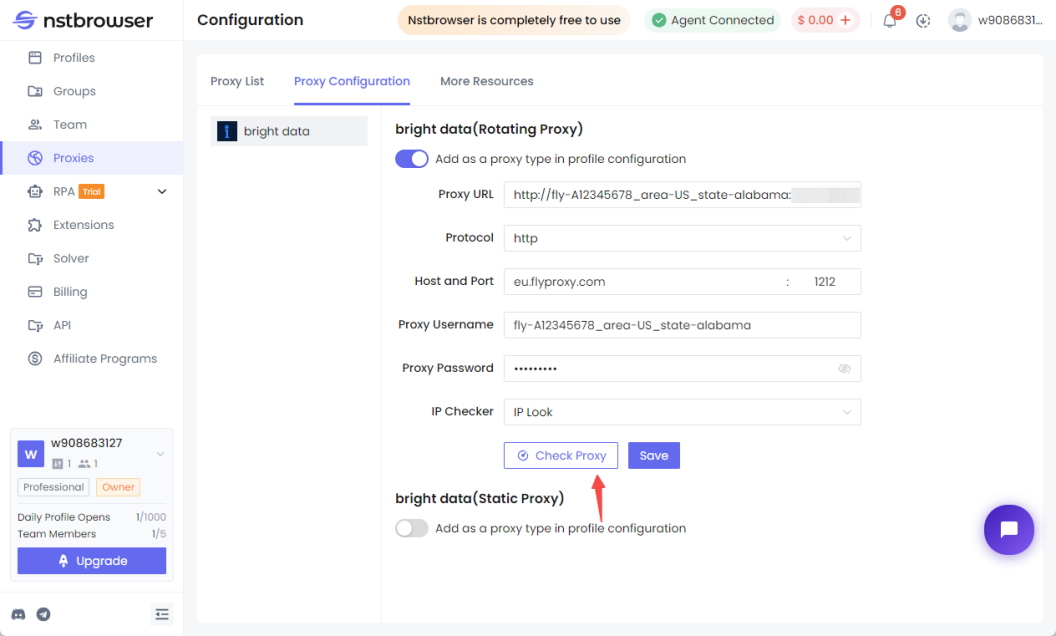
- When you have finished entering, click Check Proxy again.
- The proxy server interface appears, then the detection is successful.
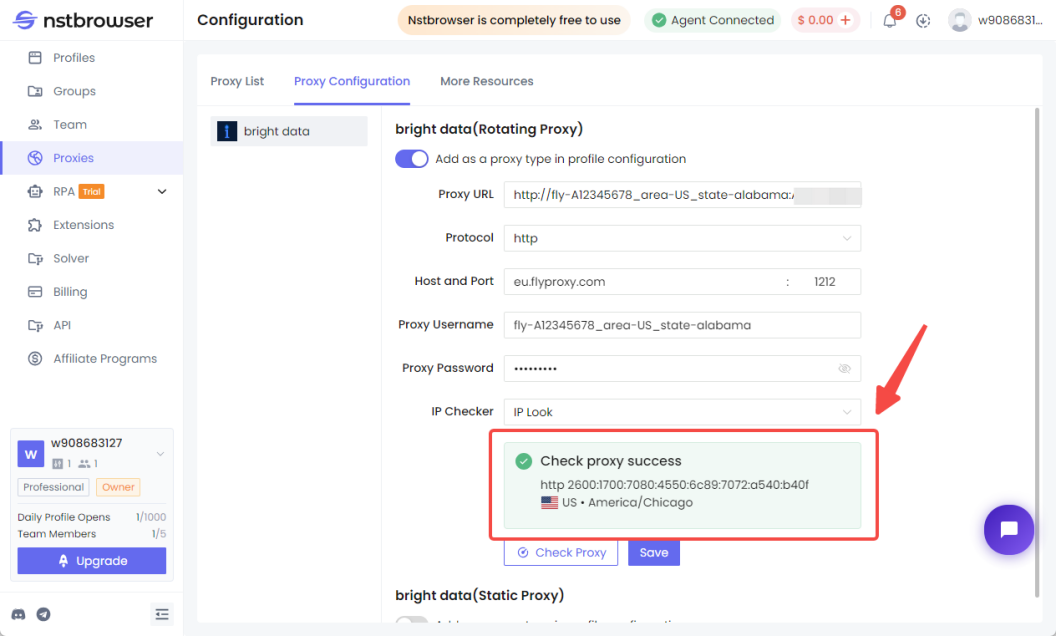
- Click behind the Proxy URL, select it all and copy it. Then click below to save.
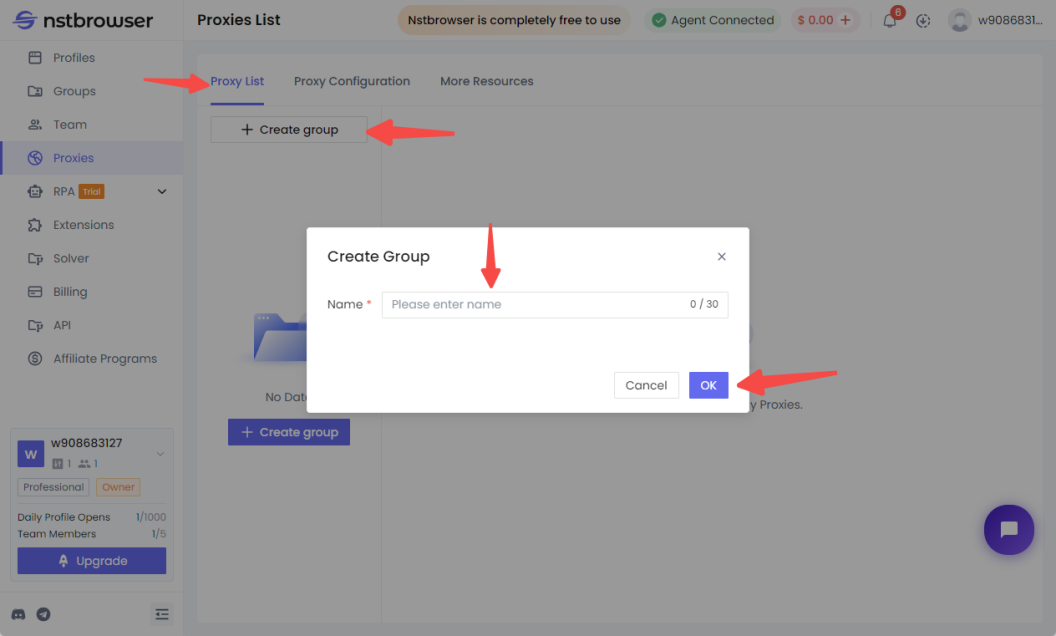
- Click on "Proxy List", then click on "+ Create Group", enter the group name and click "OK".
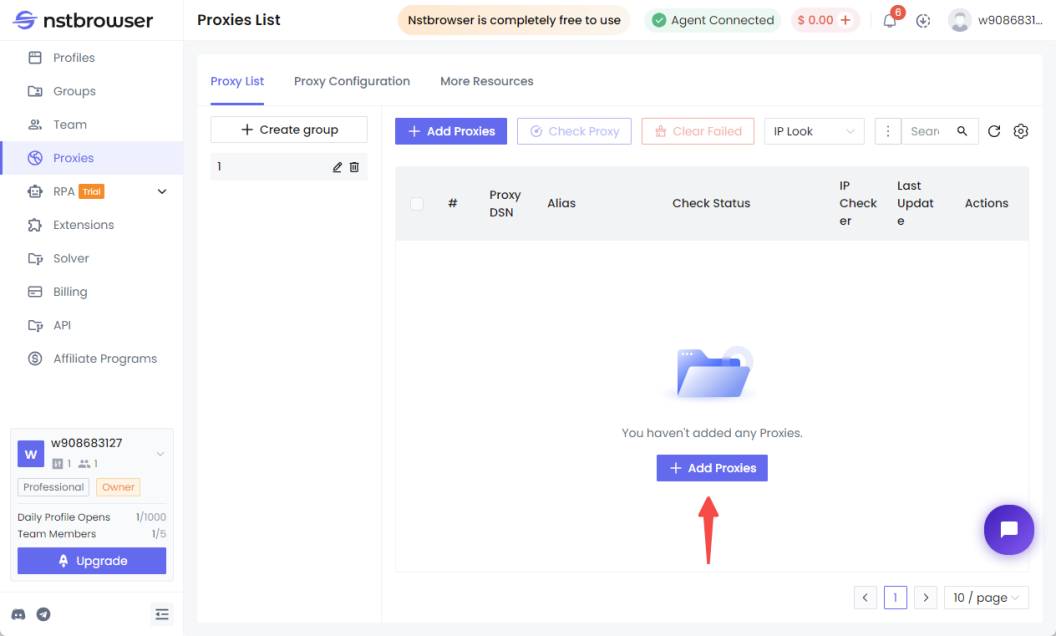
- Click "Add Proxy" in the pop-up window.
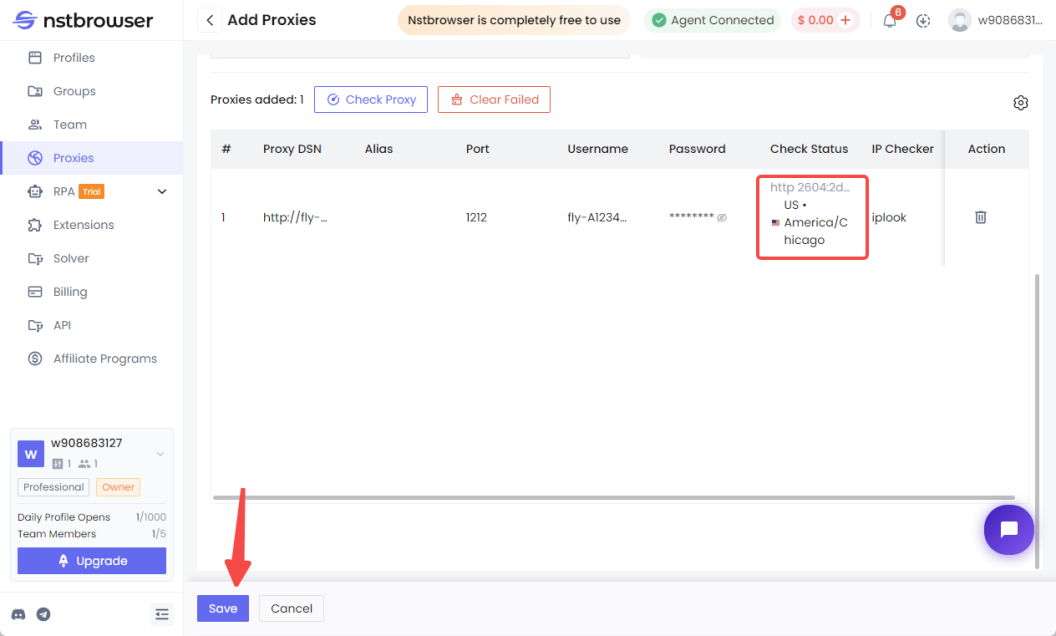
- In the Add Proxy screen, paste the copied link. Then tap "Check Proxy" at the bottom.
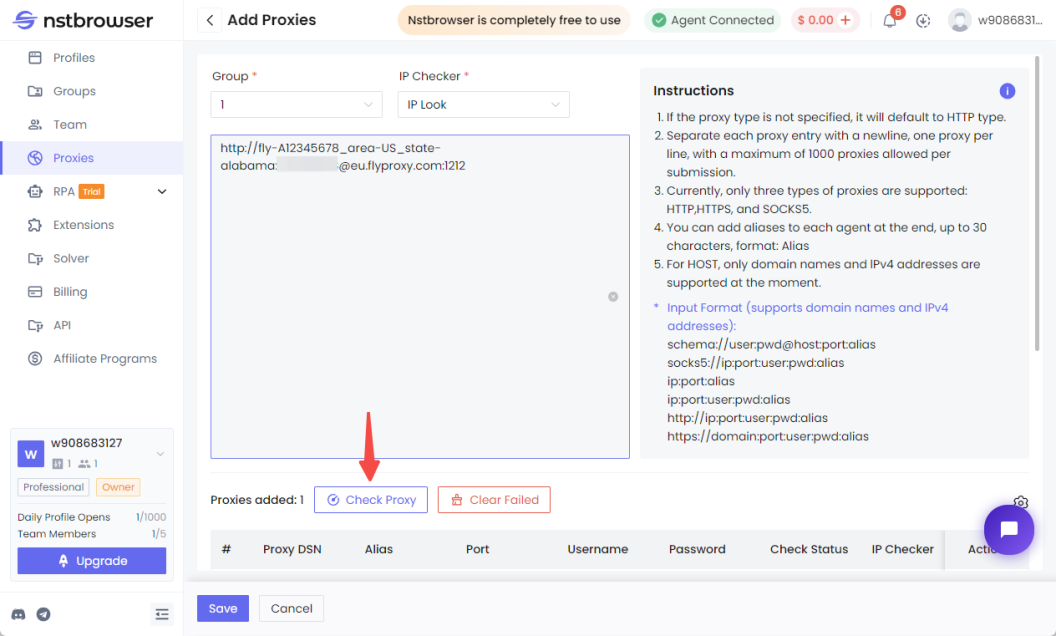
- Scroll down and the proxy you just added will appear at the bottom, then click "Save".
Step 3: Create the environment and use the agent
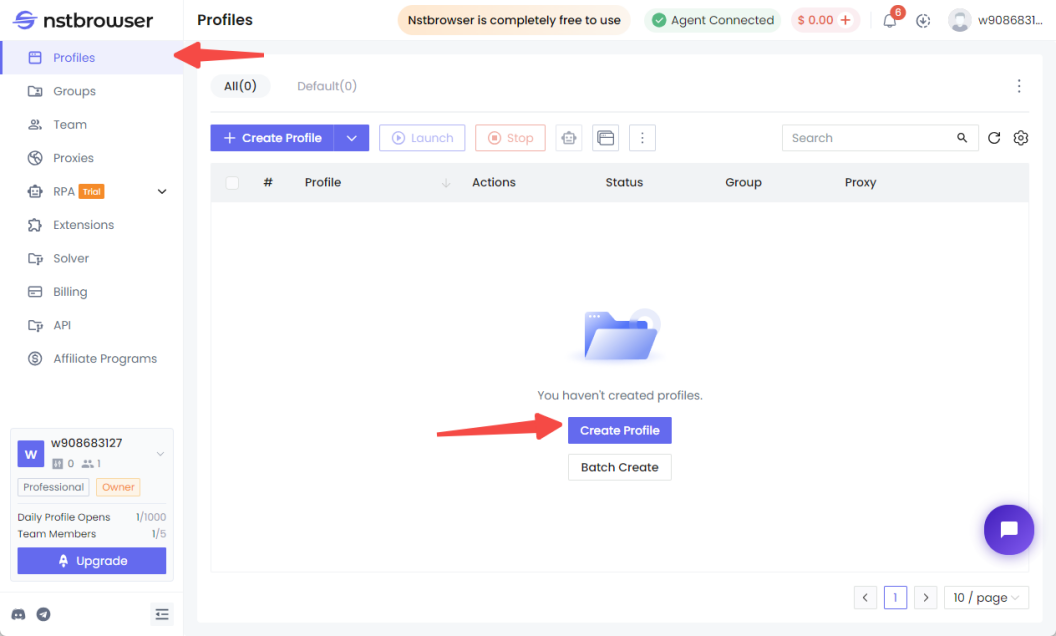
- After saving successfully, you will be automatically returned to the proxy list interface, click "Profiles" in the left navigation bar, and then click "Create Profile".
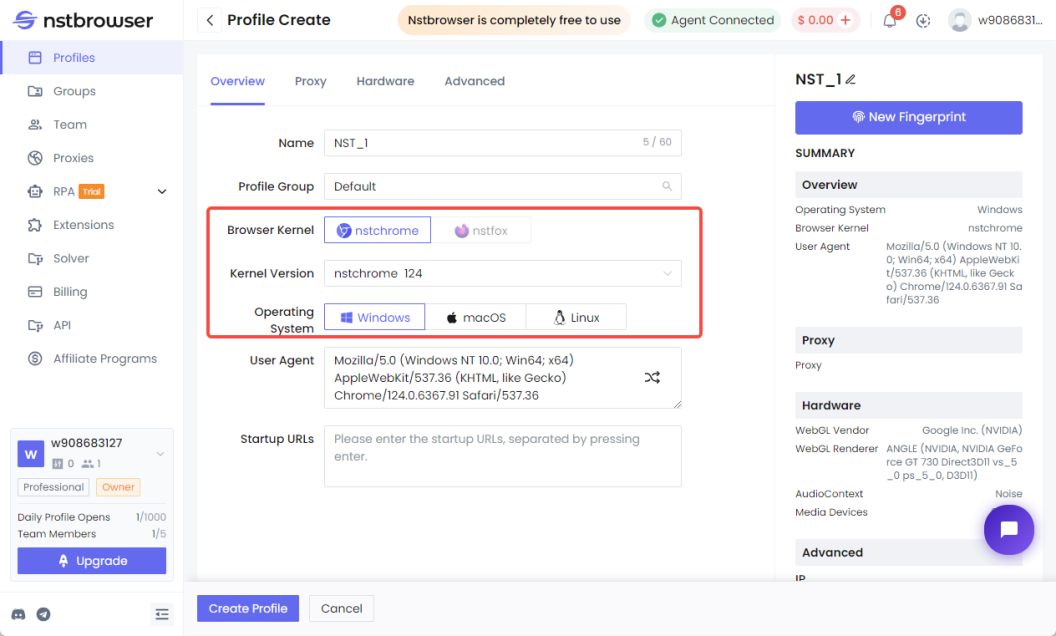
- Select the operating system you want to use and the browser kernel you want to use, using Windows and nstchrome as an example.
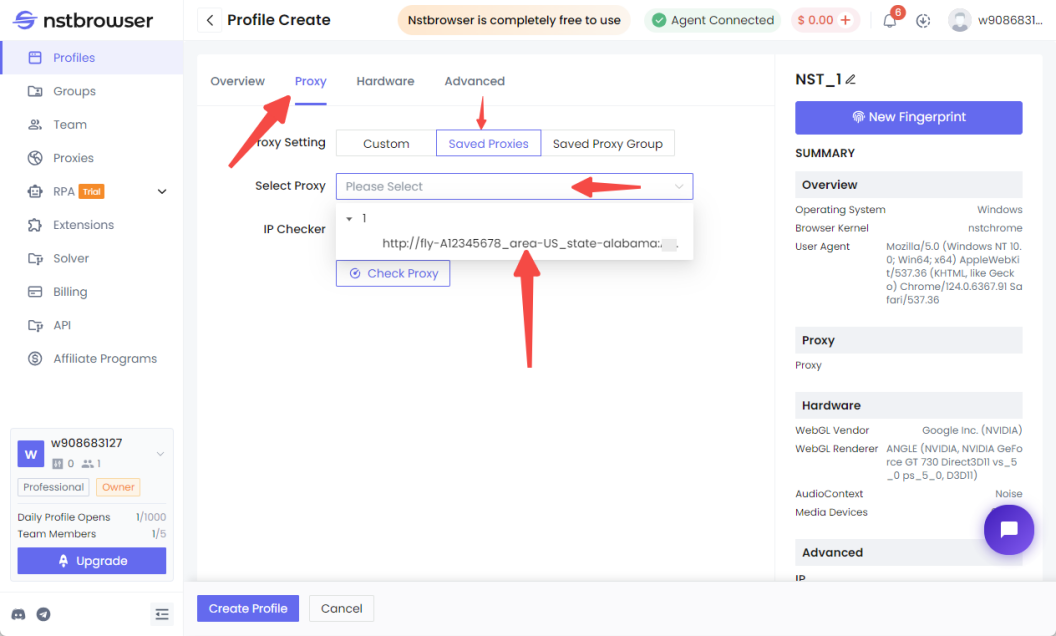
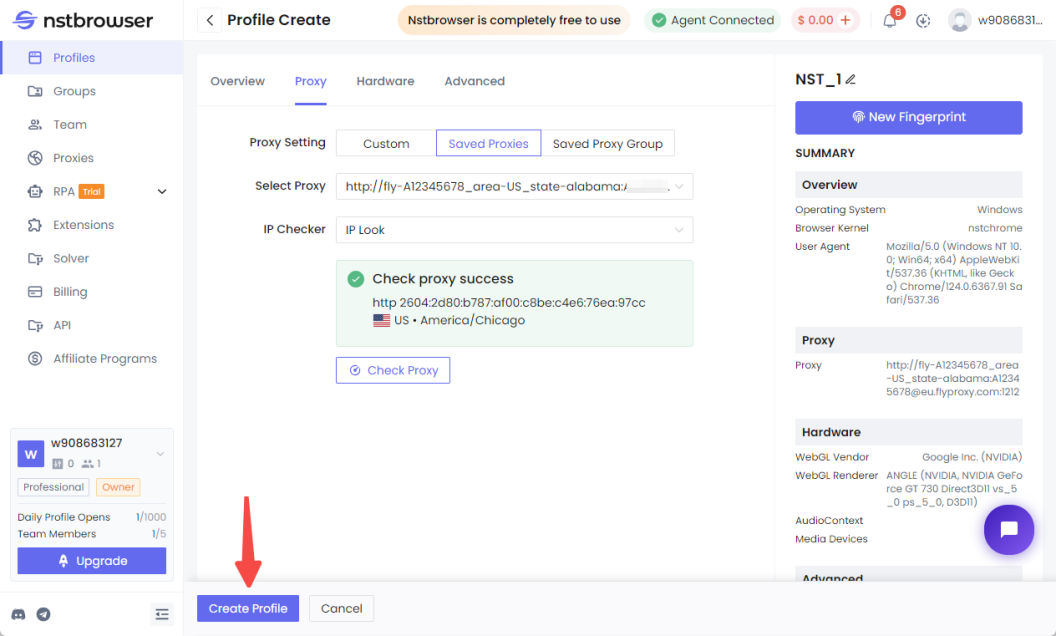
- Once created, click on "Proxy" at the top, then click on "Saved Proxies", click on the space next to "Select Proxy", and select the proxy you just created. The proxy will be checked automatically.
- Click below to create the Porfiles.
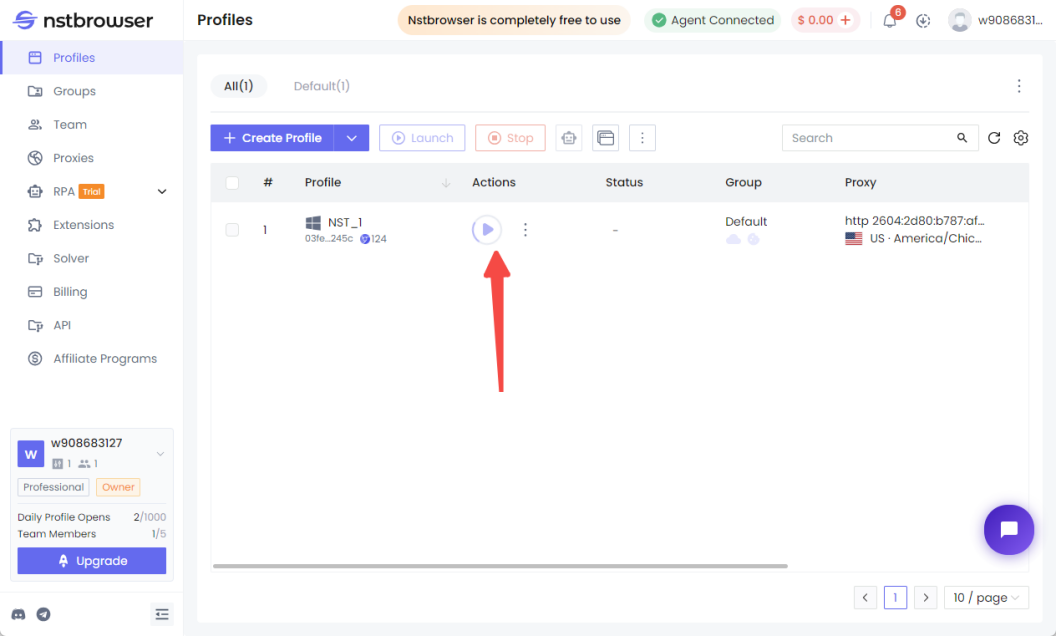
- Click on the start triangle symbol in the middle of the interface to open the browser page with the proxy successfully configured.
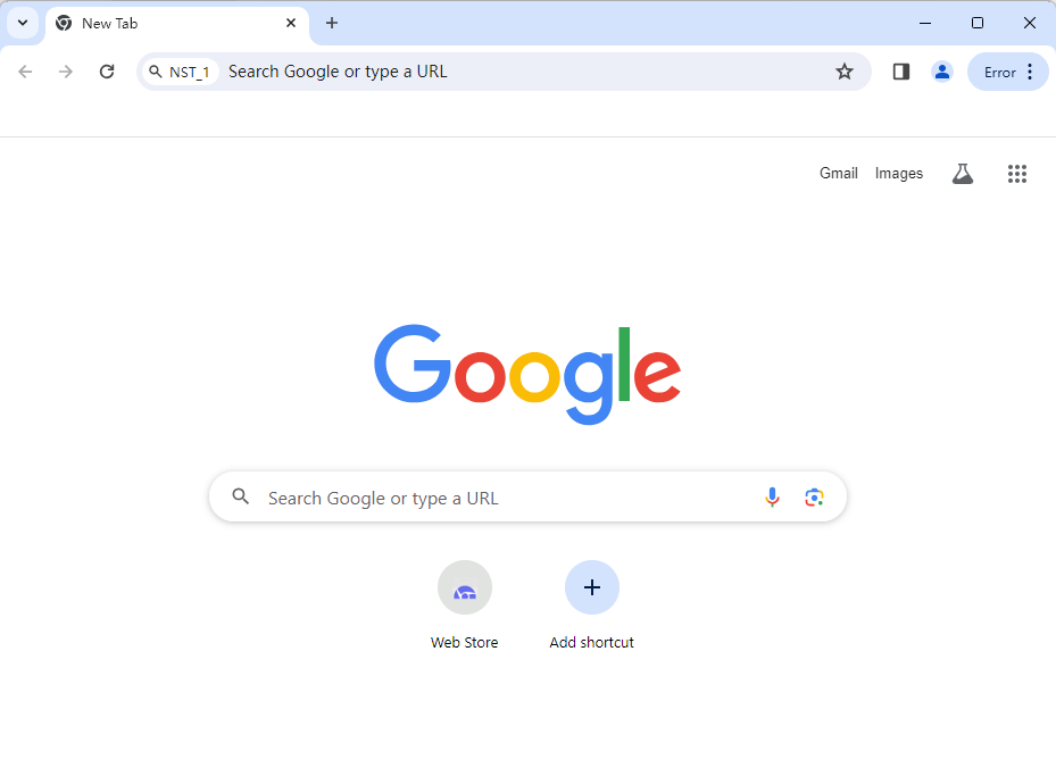
- Open your browser and you can use it directly.
More