BrowserlessCloudflare BypassHeadless Browser
How to Use Nstbrowser's Browserless to Bypass Cloudflare 5s Challenge (2025)
Learn how to bypass Cloudflare's 5s Challenge using Nstbrowser's Browserless service and Puppeteer. This guide walks you through the setup, implementation, and advantages of automating web scraping tasks while ensuring compliance and efficiency.
Mar 06, 2025Robin Brown
1. Introduction
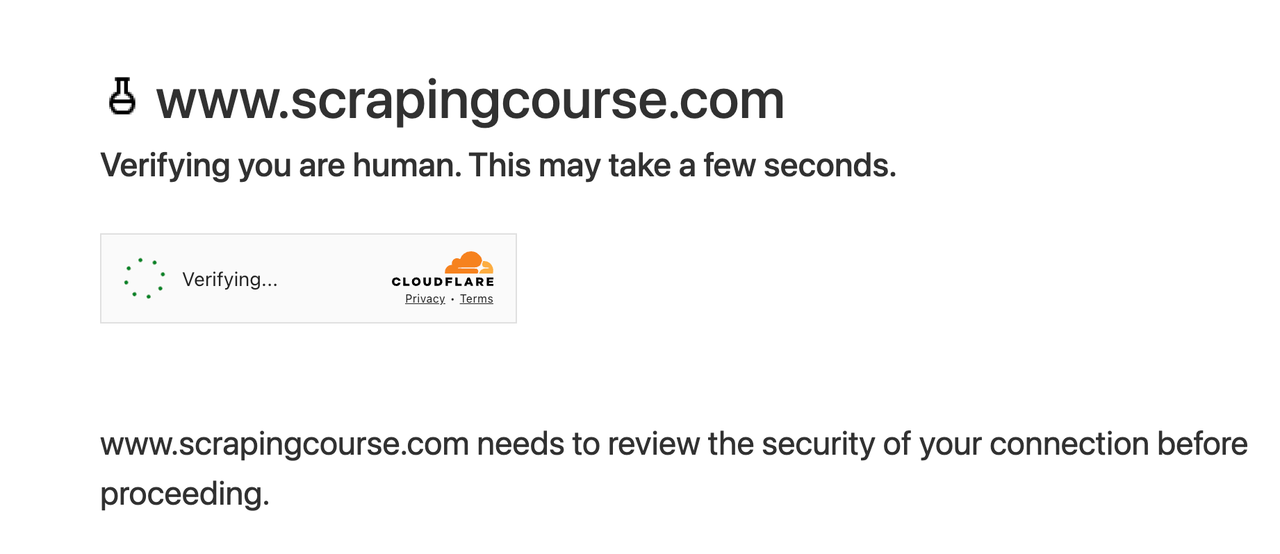
Cloudflare Challenge is a widely used anti-bot mechanism designed to protect website resources from malicious traffic. One of its core features is the Cloudflare 5s Challenge, which effectively blocks automated requests through dynamic verification.
What is Cloudflare 5s Challenge?
The Cloudflare 5s Challenge is an intelligent verification mechanism. When a user accesses a website protected by Cloudflare, the system forces them to wait for 5 seconds. During this period, Cloudflare performs a series of checks on the user's browser environment, including but not limited to:
- JavaScript Execution Capability Check: Verifies whether the visitor can correctly execute the JavaScript code provided by Cloudflare.
- Cookie Support Check: Ensures the browser can properly store and return the cookies set by Cloudflare.
- IP and Request Behavior Analysis: Analyzes the source and behavior of the request to determine whether the visitor is abnormal traffic.
Impact of Cloudflare 5s Challenge on Web Scraping
For web scraping developers, the Cloudflare 5s Challenge presents the following challenges:
- Blocking Automated Requests: Standard HTTP requests cannot pass JavaScript and cookie verification, leading to scraping failures.
- Increased Delay: The mandatory 5-second wait for each visit significantly reduces scraping efficiency, especially for large-scale data collection tasks.
- Dynamic Verification Mechanisms: Cloudflare dynamically adjusts its verification strategy based on visitor behavior, potentially triggering more advanced challenges (e.g., CAPTCHA).
- Behavioral Analysis: Fixed patterns in scraping requests are easily identified and blocked, further increasing the difficulty of bypassing the protection.
How to Overcome These Challenges?
By combining Puppeteer with Nstbrowser's Browserless cloud browser service, you can simulate the behavior of real users' browsers to bypass the Cloudflare 5s Challenge and continue executing your web scraping tasks.
2. Introduction to Nstbrowser's Browserless
Browserless is a high-performance headless cloud browser product provided by Nstbrowser. It is designed for automation tasks, offering powerful remote control capabilities via API and WebSocket.
With Browserless, developers can easily bypass complex anti-bot mechanisms (such as the Cloudflare Challenge) and focus on implementing their business logic without worrying about technical barriers.
3. Implementation Steps
3.1 Environment Setup
- Install Puppeteer:
bash
npm install puppeteer-core - Sign up and log in to Nstbrowser's official website.
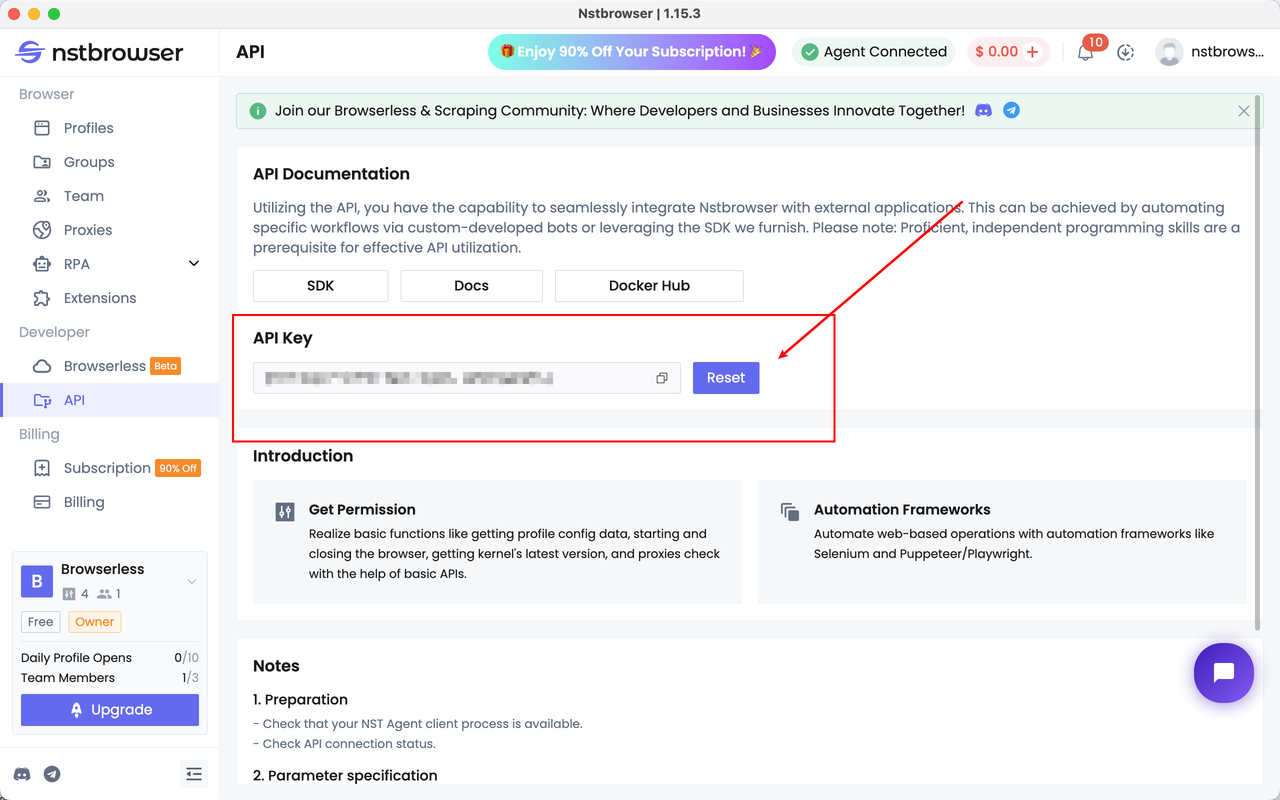
- Obtain an API Key:
- Log in and navigate to the API menu.
- Generate a new API Key on the "API" page.
- Save the key in your code for later use.
3.2 Automation Script
When writing your business logic with Puppeteer, you no longer need to worry about being blocked by the Cloudflare 5s Challenge. Nstbrowser's Browserless cloud service will automatically handle the verification for you, allowing you to focus solely on your code.
Below is a complete example script:
javascript
import puppeteer from 'puppeteer-core';

const API_KEY = "your api key"; // required
const HOST = 'wss://less.nstbrowser.io';

const config = {
    proxy: 'your proxy',
    headless: true,
};
const query = new URLSearchParams({
    "x-api-key": API_KEY, // required
    "config": JSON.stringify(config),
});
const browserWSEndpoint = `${HOST}/connect?${query.toString()}`;

(async () => {
    const browser = await puppeteer.connect({
        browserWSEndpoint: browserWSEndpoint,
        defaultViewport: null,
    });
    const page = await browser.newPage();
    try {
        await page.goto('https://www.scrapingcourse.com/cloudflare-challenge', {waitUntil: 'domcontentloaded'});

        // TODO: Add your business logic here
        await page.waitForSelector('#challenge-info', {visible: true});
        await page.screenshot({path: 'challenge-solved.png', fullPage: true});
    } catch (e) {
        console.error(e);
    } finally {
        await browser.close();
    }
})();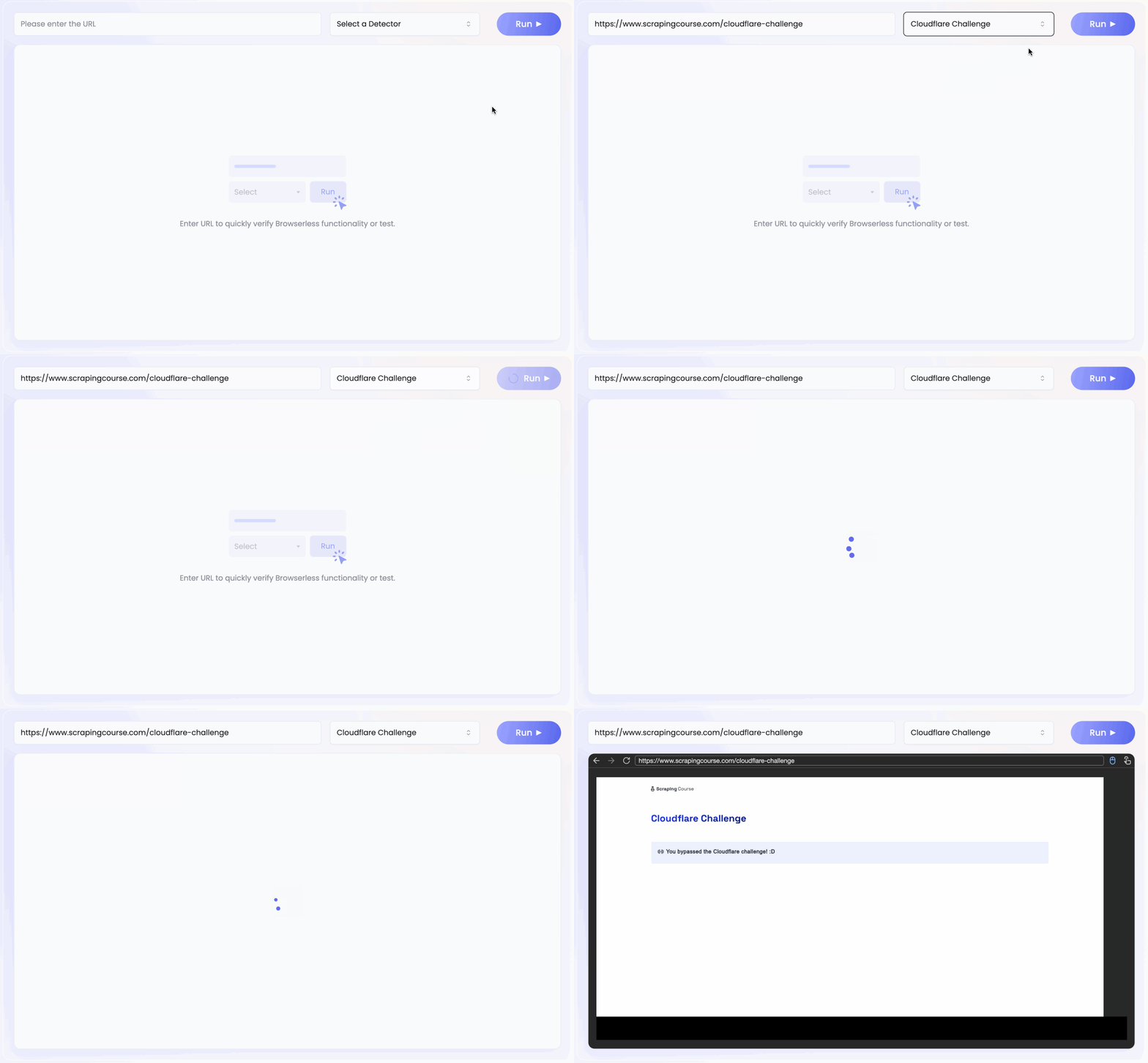
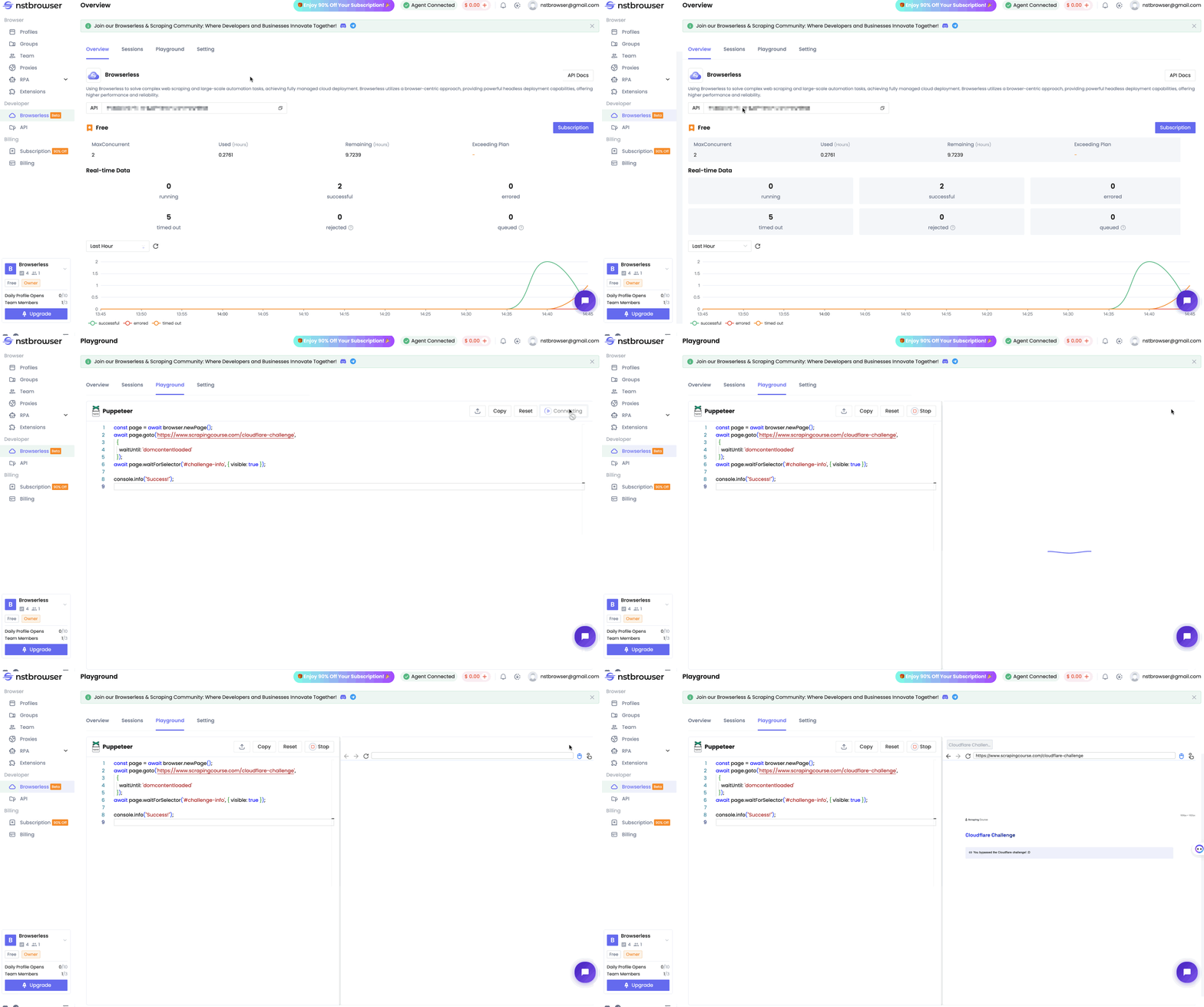
You can also directly test the actual code execution in the Playground feature under the Browserless menu of the Nstbrowser client.
- You only need to add the following two lines of code in the Playground, and it will automatically build the connection to Browserless for you.
4. Advantages
- Efficiency: Automatically solves the challenge using Puppeteer and Browserless, eliminating the need for manual intervention and significantly improving development efficiency.
- Cloud Support: Browserless eliminates the need for local browser installation and maintenance, reducing hardware resource consumption.
- Flexibility: Supports various anti-bot mechanisms, including JavaScript checks and CAPTCHA.
- Integration with Nstbrowser: Provides additional support via API to handle complex verification scenarios.
5. Precautions
- Legality: Ensure compliance with the terms of use of the target website to avoid illegal scraping activities.
- Performance Optimization: Distribute request frequency reasonably to prevent service rate limits.
- Error Handling: Add error-handling logic to your script to adapt to changes in dynamic verification mechanisms.
6. Resources
- Official Website: Nstbrowser Website
- Documentation: Nstbrowser Documentation
- Download: Nstbrowser Download Page
- Community Support: Join Our Discord Community
By following this guide, developers can easily bypass the Cloudflare 5s Challenge while leveraging Nstbrowser's Browserless cloud service to significantly enhance the efficiency and stability of their web scraping projects.
More